
VideoFetchZero
Download videos from the web, privately.
VideoFetchZero downloads videos from YouTube, Vimeo, and thousands of other sites directly to your Mac — just paste a URL and click download. Download multiple videos at once, pause and resume transfers, manage your queue, and keep a full history of every download. No cloud accounts, no tracking. Everything runs locally.
Version 1.1.0 · macOS 13.0+ · August 9, 2026
Buying on mobile? We'll email your Mac download and license after checkout.
One-time license
2 Macs · one-time
- Use on up to 2 Macs
- Updates to the current major version
- At least three years of macOS compatibility fixes
- 30-day money-back guarantee
- No account required to use the app
30-day money-back guarantee
Taxes may be added at checkout.
Get all 11 current ZeroApps utilities for one price. No subscription required.
Taxes may be added at checkout. See the license terms for update coverage.
See it in action.
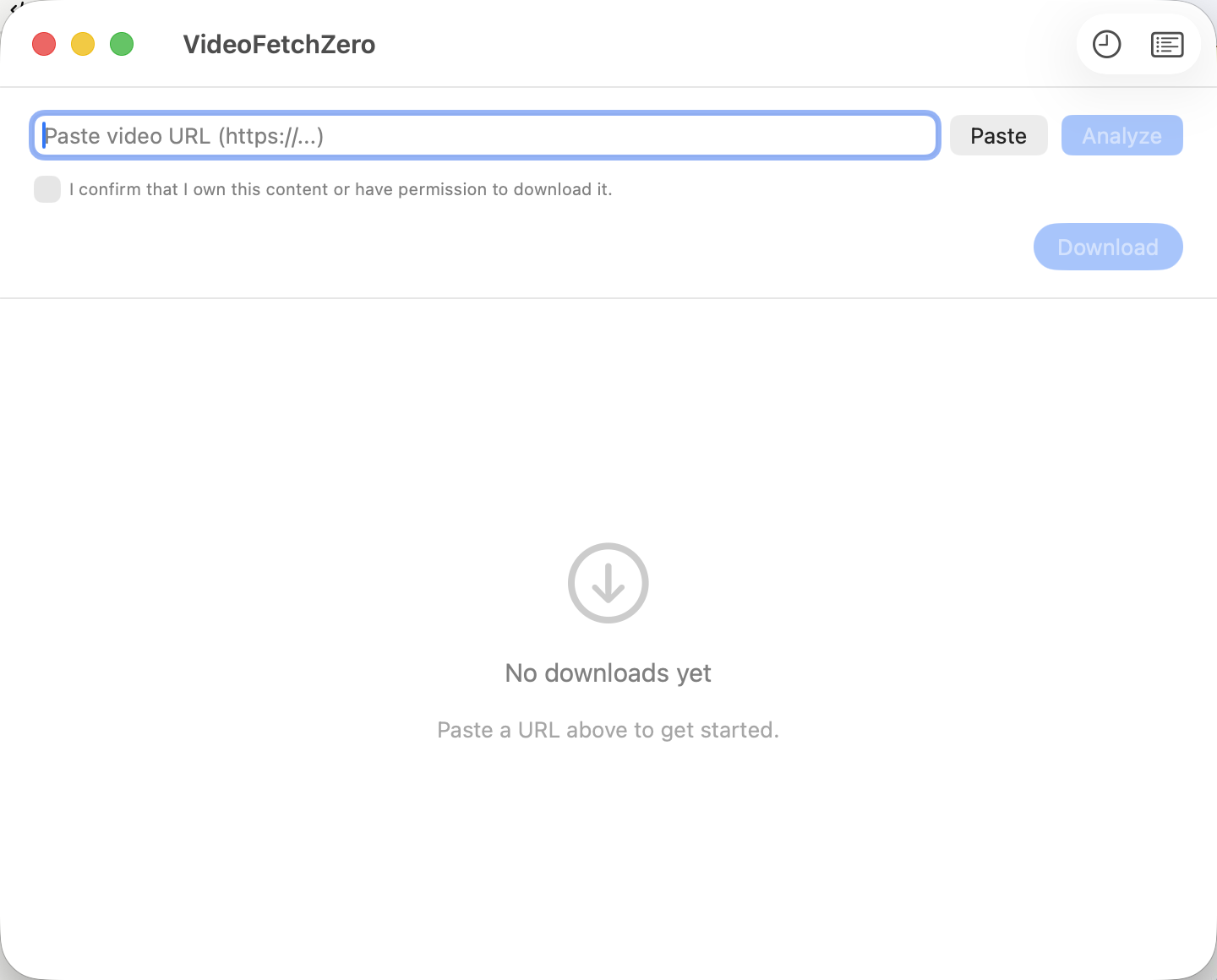
VideoFetchZero main window — paste a URL to get started
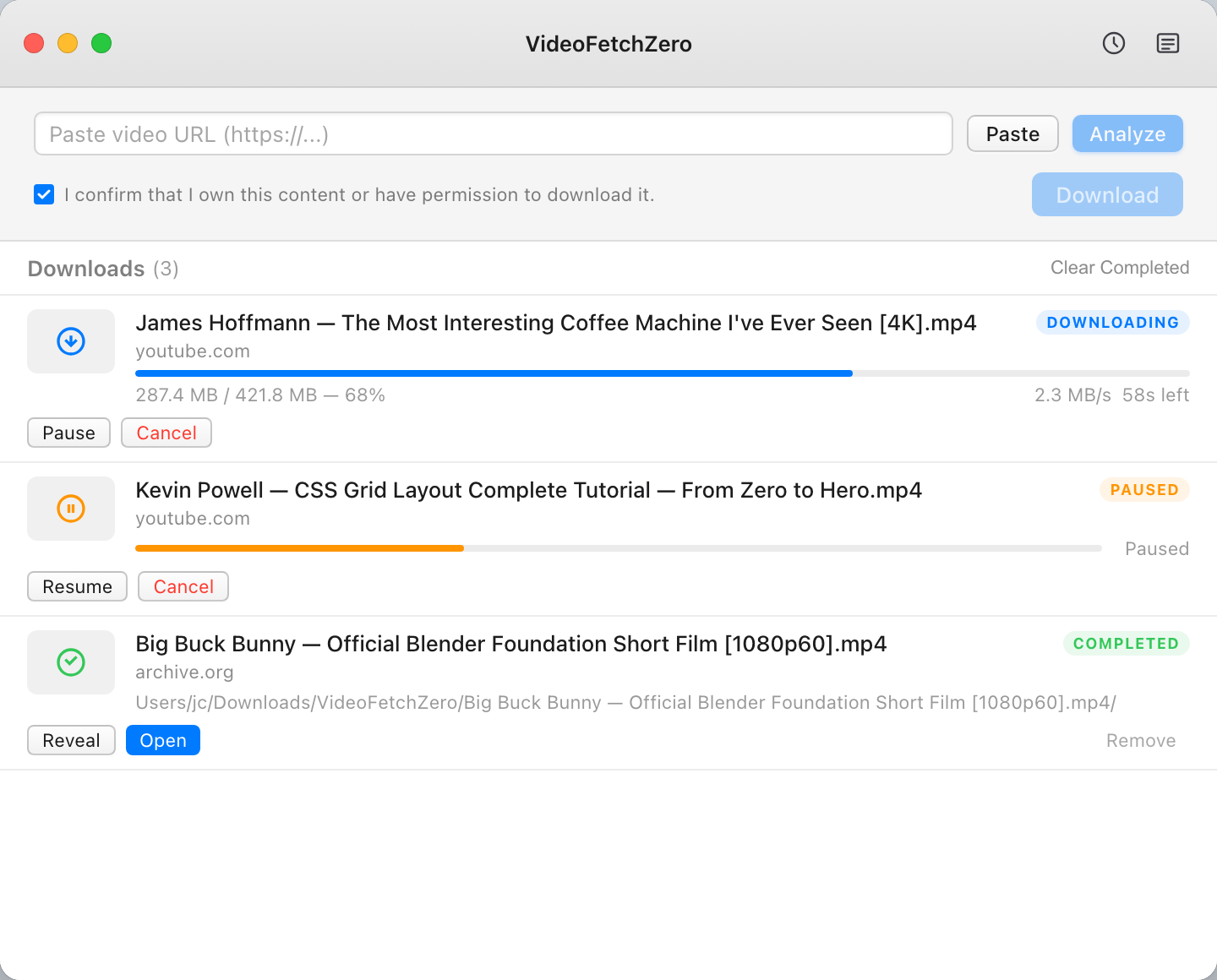
Download queue showing an active download, a paused download, and a completed file
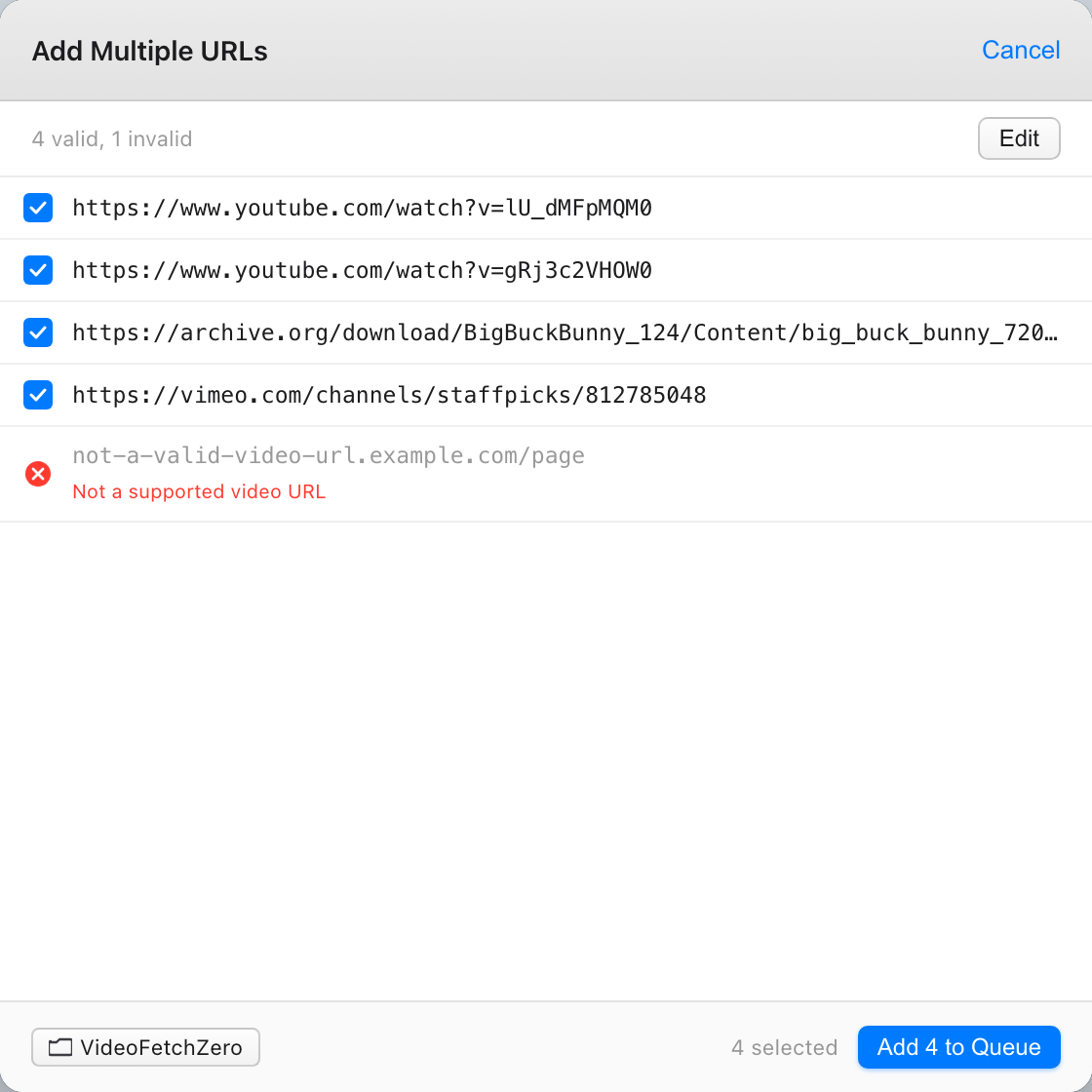
Batch URL input — add multiple URLs to the queue at once (Pro feature)
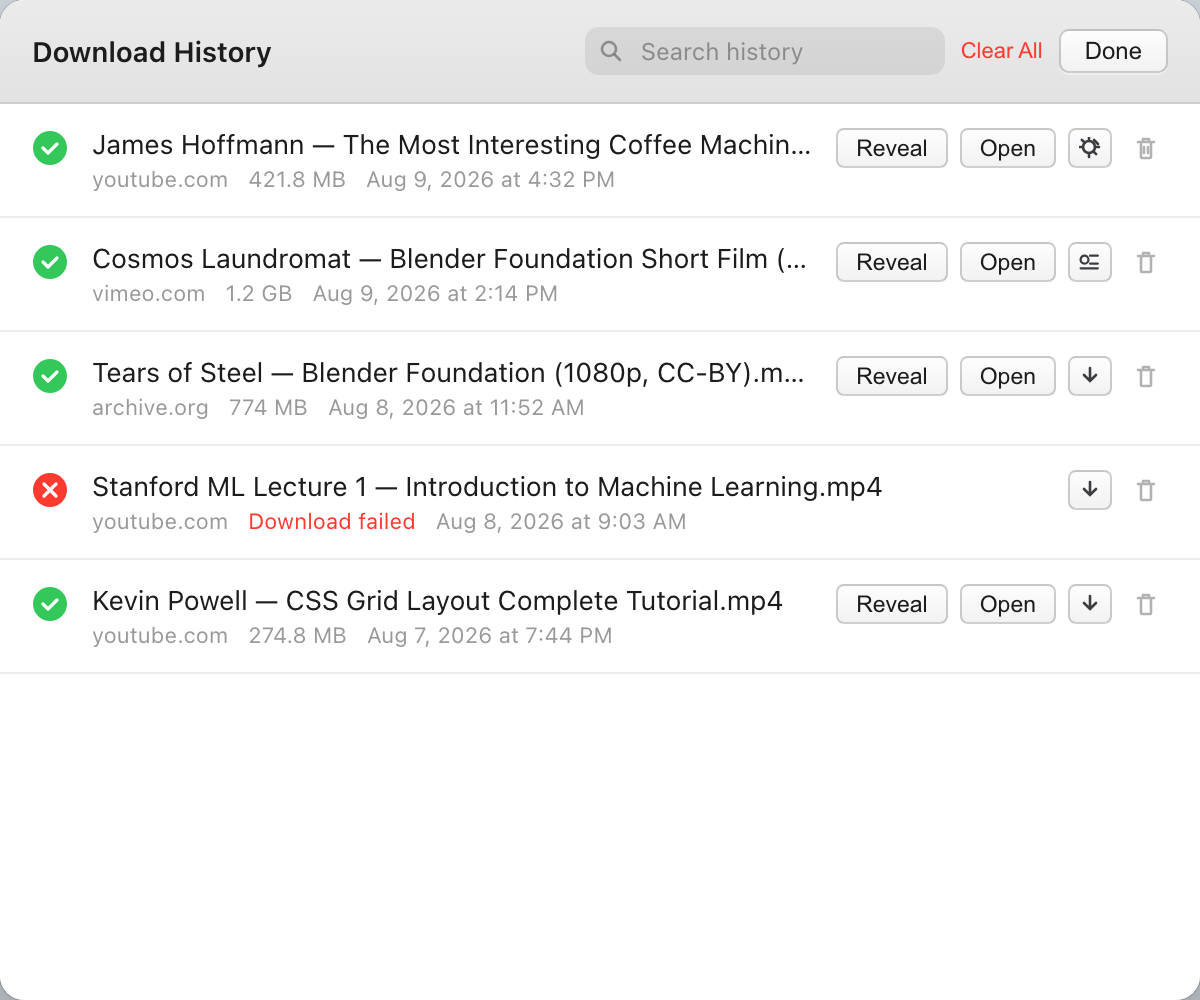
Download history with search, file sizes, dates, and quick access buttons
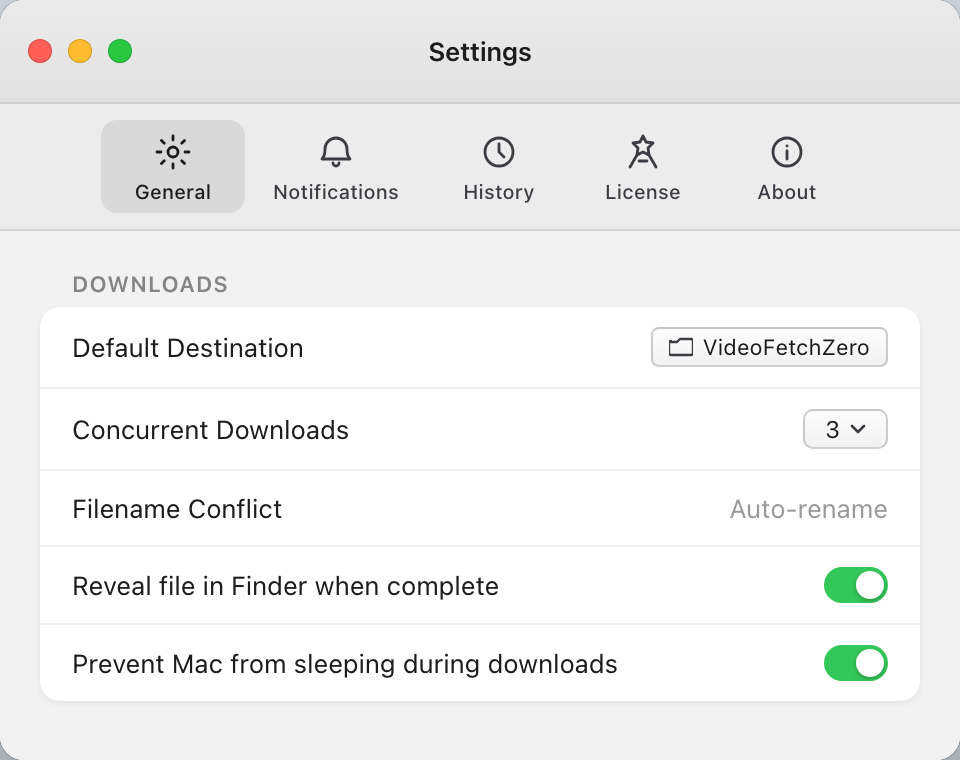
General settings showing destination folder, concurrent downloads, and toggles
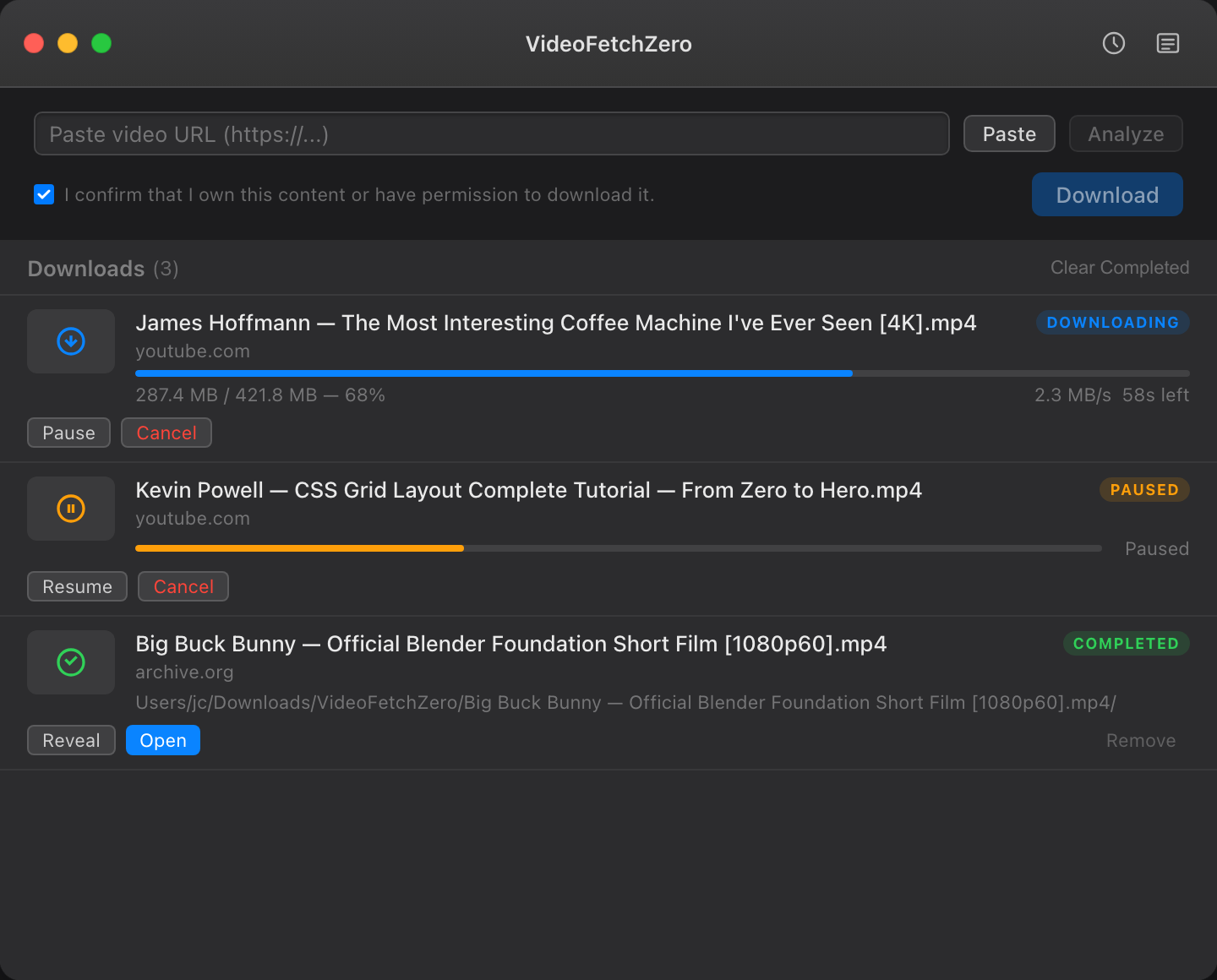
VideoFetchZero in dark mode with an active download queue
Free vs Paid
Try it free. Unlock everything with a one-time license.
Everything you need, nothing you don't.
Download from anywhere
Paste any URL from YouTube, Vimeo, or thousands of other sites. VideoFetchZero fetches the video directly to your Mac — no browser extensions, no account required.
Batch URL input
Paste a list of URLs and add them all to your queue in one click. Download entire playlists or video collections without repeating yourself. Pro feature.
Multiple concurrent downloads
Download up to 5 videos at the same time. Configure your ideal concurrent count and let VideoFetchZero manage the rest. Pro feature.
Pause & resume
Pause any download and resume it later without starting over. Perfect for large files, metered connections, or simply getting out of the way while you work. Pro feature.
Download history
A full record of every video you've downloaded — with source URL, file size, date, and direct buttons to open or reveal the file in Finder.
One-time purchase
No subscriptions. Pay once and keep the version you buy. Updates to the current major version and at least three years of macOS compatibility fixes included. Try free with up to 3 downloads per session first.
Release history
VideoFetchZero 1.1.0 # What's New - YouTube download support — paste any YouTube URL and download it directly. VideoFetchZero bundles yt-dlp to handle YouTube, Vimeo, Twitter/X, Instagram, TikTok, a…
VideoFetchZero 1.0.0 The first release of VideoFetchZero — download videos from the web, privately. # Features - Single URL download — paste any URL, click Analyze, then Download - Video analysis —…
Guides
Learn more about VideoFetchZero
Common questions
What can I do for free?
The free tier allows up to 3 downloads per session, one at a time, from any supported site. Activate a Pro license for unlimited downloads, batch URL input, up to 5 concurrent downloads, pause & resume, and extended history.
What can I do for free?
The free tier allows up to 3 downloads per session, one at a time, from any supported site. Activate a Pro license for unlimited downloads, batch URL input, up to 5 concurrent downloads, pause & resume, and extended history.
What can I do for free?
The free tier allows up to 3 downloads per session, one at a time, from any supported site. Activate a Pro license for unlimited downloads, batch URL input, up to 5 concurrent downloads, pause & resume, and extended history.
Does VideoFetchZero upload my videos?
Never. VideoFetchZero downloads videos directly from the source to your Mac. No data passes through our servers. The only network request we make is license validation — which sends only your license key, never your files or download history.
Does VideoFetchZero upload my videos?
Never. VideoFetchZero downloads videos directly from the source to your Mac. No data passes through our servers. The only network request we make is license validation — which sends only your license key, never your files or download history.
Does VideoFetchZero upload my videos?
Never. VideoFetchZero downloads videos directly from the source to your Mac. No data passes through our servers. The only network request we make is license validation — which sends only your license key, never your files or download history.
Which sites does VideoFetchZero support?
VideoFetchZero uses yt-dlp, one of the most widely supported video extraction tools available. It works with over 1,000 sites including YouTube, Vimeo, Twitter/X, Instagram, Facebook, TikTok, Twitch, SoundCloud, and many more.
Which sites does VideoFetchZero support?
VideoFetchZero uses yt-dlp, one of the most widely supported video extraction tools available. It works with over 1,000 sites including YouTube, Vimeo, Twitter/X, Instagram, Facebook, TikTok, Twitch, SoundCloud, and many more.
Which sites does VideoFetchZero support?
VideoFetchZero uses yt-dlp, one of the most widely supported video extraction tools available. It works with over 1,000 sites including YouTube, Vimeo, Twitter/X, Instagram, Facebook, TikTok, Twitch, SoundCloud, and many more.
How do I download a video?
Paste the video's page URL into the URL field and click Analyze. VideoFetchZero will identify the video and prepare it for download. Check the consent box to confirm you have permission to download the content, then click Download. The video saves to your Downloads folder by default — you can change this in Settings.
How do I download a video?
Paste the video's page URL into the URL field and click Analyze. VideoFetchZero will identify the video and prepare it for download. Check the consent box to confirm you have permission to download the content, then click Download. The video saves to your Downloads folder by default — you can change this in Settings.
How do I download a video?
Paste the video's page URL into the URL field and click Analyze. VideoFetchZero will identify the video and prepare it for download. Check the consent box to confirm you have permission to download the content, then click Download. The video saves to your Downloads folder by default — you can change this in Settings.
What macOS version do I need?
VideoFetchZero requires macOS 13 (Ventura) or later. It runs natively on both Apple Silicon and Intel Macs.
What macOS version do I need?
VideoFetchZero requires macOS 13 (Ventura) or later. It runs natively on both Apple Silicon and Intel Macs.
What macOS version do I need?
VideoFetchZero requires macOS 13 (Ventura) or later. It runs natively on both Apple Silicon and Intel Macs.