
RenameZero
Rename hundreds of files in seconds.
RenameZero is a lightweight batch file renaming utility for Mac. Replace text, add prefixes or suffixes, number files sequentially, change case, and use templates — all with a live preview before any changes happen. Undo any rename with one click. No cloud, no accounts, no subscriptions.
Version 1.0.0 · macOS 13.0+ · June 23, 2026
Buying on mobile? We'll email your Mac download and license after checkout.
One-time license
2 Macs · one-time
- Use on up to 2 Macs
- Updates to the current major version
- At least three years of macOS compatibility fixes
- 30-day money-back guarantee
- No account required to use the app
30-day money-back guarantee
Taxes may be added at checkout.
Get all 11 current ZeroApps utilities for one price. No subscription required.
Taxes may be added at checkout. See the license terms for update coverage.
See it in action.
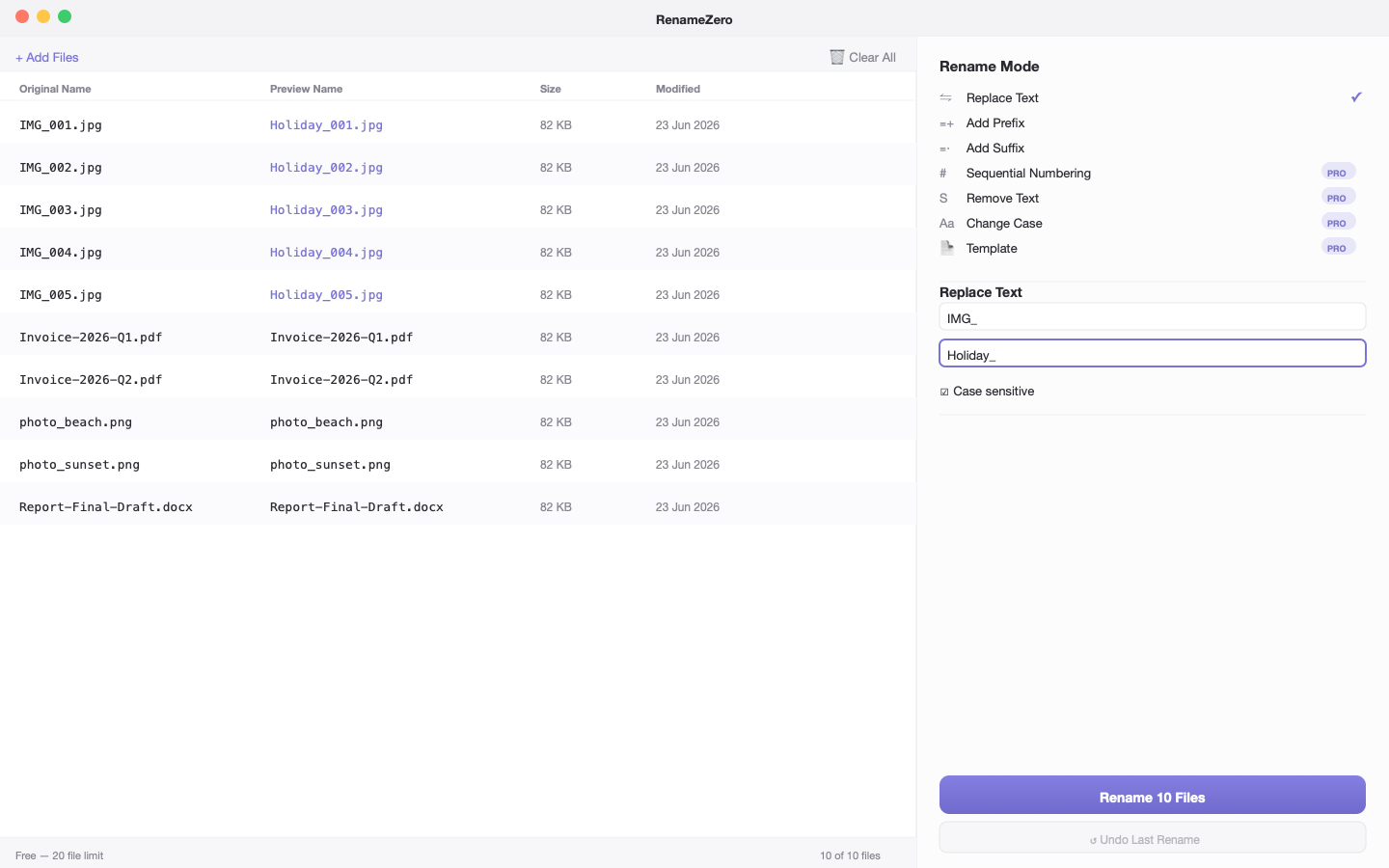
Replace text in filenames with live preview
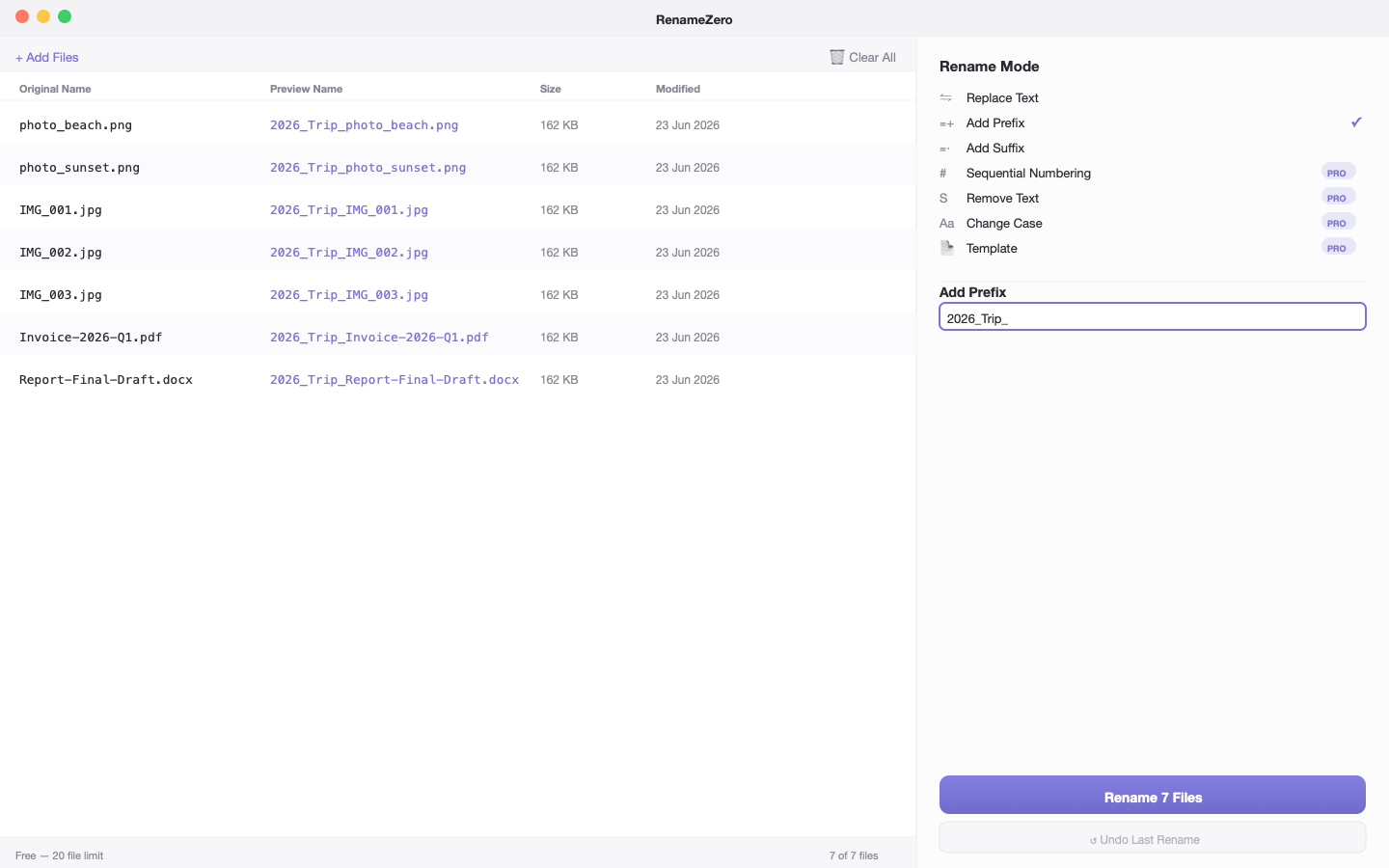
Add prefix to batch rename files
Free vs Paid
Try it free. Unlock everything with a one-time license.
Everything you need, nothing you don't.
Live preview
See exactly how every file will be renamed before anything changes. Original and new names displayed side by side, updated instantly.
Sequential numbering
Automatically number files with customisable start number, padding length, and separator. Turn photo.jpg into photo_001.jpg in seconds.
One-click undo
Made a mistake? Undo the entire last rename operation with one click. Original filenames are restored instantly.
Folder processing
Import entire folders of files at once. Optionally include subfolders. Filter by file type — images, documents, videos, or custom extensions.
Zero uploads, ever
Every rename operation runs 100% on your Mac. Not a single byte of your files touches the internet.
One-time purchase
No subscriptions. Pay once and keep the version you buy. Updates to the current major version and at least three years of macOS compatibility fixes included. Try free with up to 20 files first.
Release history
RenameZero 1.0.0 The first release of RenameZero — rename hundreds of files in seconds. # Features - Replace text — find and replace text in filenames with case-sensitive option - Add prefix / suff…
Guides
Learn more about RenameZero
How to Replace Spaces with Dashes in File Names on Mac
File names with spaces cause problems on the web, in code, and when sharing. Here is how to replace spaces with dashes or underscores across hundreds of files on Mac.
5 min read
How to Rename Hundreds of Files at Once on Mac
Renaming files one by one on a Mac takes forever. Here is how to batch rename hundreds of files at once — with live preview and one-click undo.
7 min read
Common questions
What can I do for free?
The free tier includes Replace Text, Add Prefix, Add Suffix, and Live Preview for up to 20 files per session. Activate a license to unlock unlimited files, sequential numbering, remove text, change case, templates, presets, undo, folder import, file type filters, and CSV reports.
Does RenameZero upload my files?
Never. All renaming happens entirely on your Mac. The only network request is license validation, which sends your license key — never your filenames or files.
Can I undo a rename?
Yes. RenameZero stores the original and new filenames for every operation. Click Undo Last Rename to restore all original filenames instantly. This requires a Pro license.
Will RenameZero damage my file extensions?
No. File extensions are protected by default. The .jpg, .pdf, .docx etc. part of filenames is never modified unless you explicitly enable the Rename Extensions option.