PDFZero
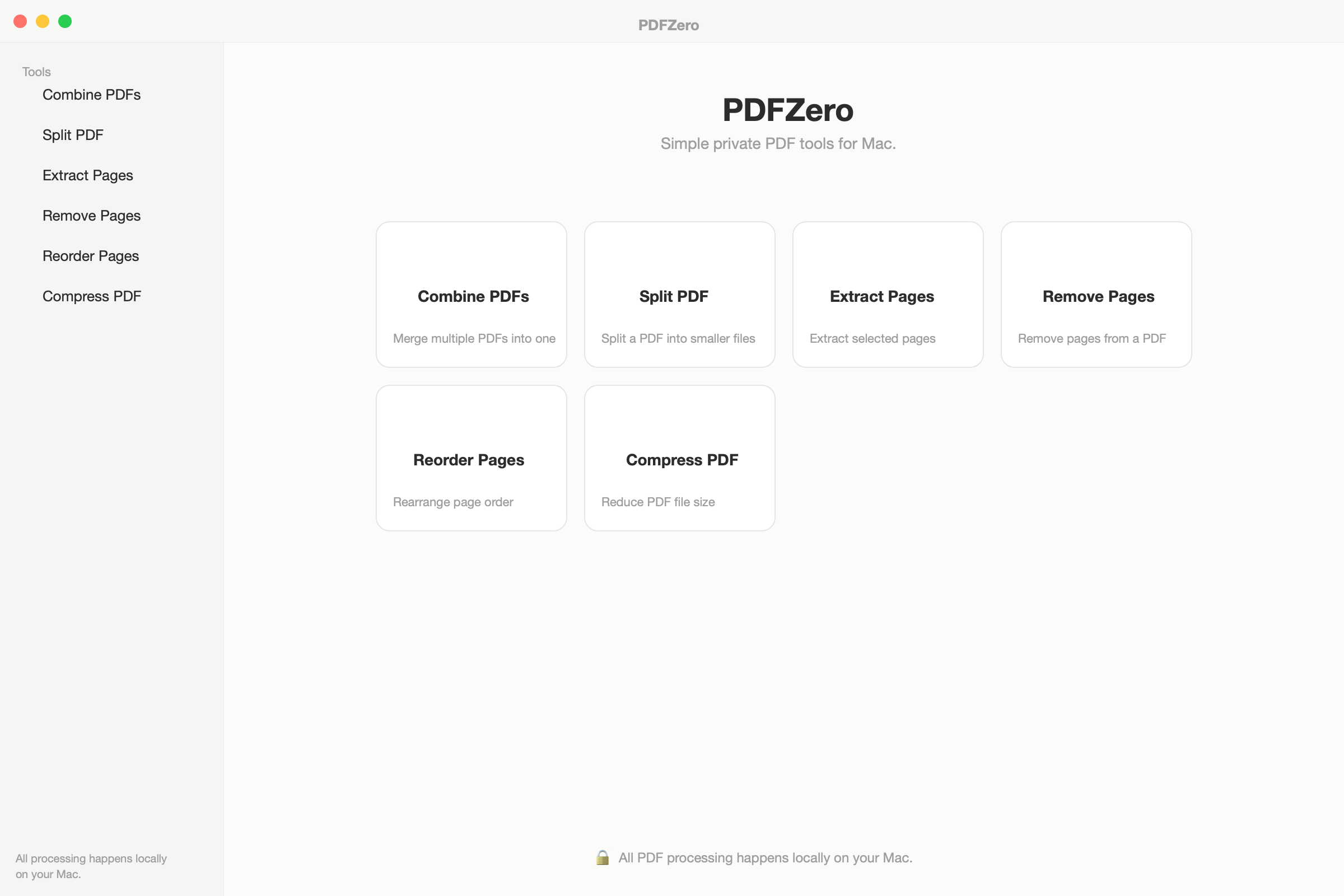
Simple private PDF tools for Mac.
Combine, split, extract, remove, reorder, and compress PDFs — all locally on your Mac. No cloud uploads, no subscriptions, no bloat. Just fast, private PDF tools that work.
Version 1.0.0 · macOS 14.0+ · June 19, 2026
Lifetime license
2 Macs · one-time
- Lifetime license on up to 2 Macs
- Free updates forever
- 30-day money-back guarantee
- No account required
- macOS Ventura 13.0+
30-day money-back guarantee
Unlock every ZeroApps app — now and all future releases. 10 apps included.
See it in action.
Free vs Paid
Try it free. Unlock everything with a one-time license.
Everything you need, nothing you don't.
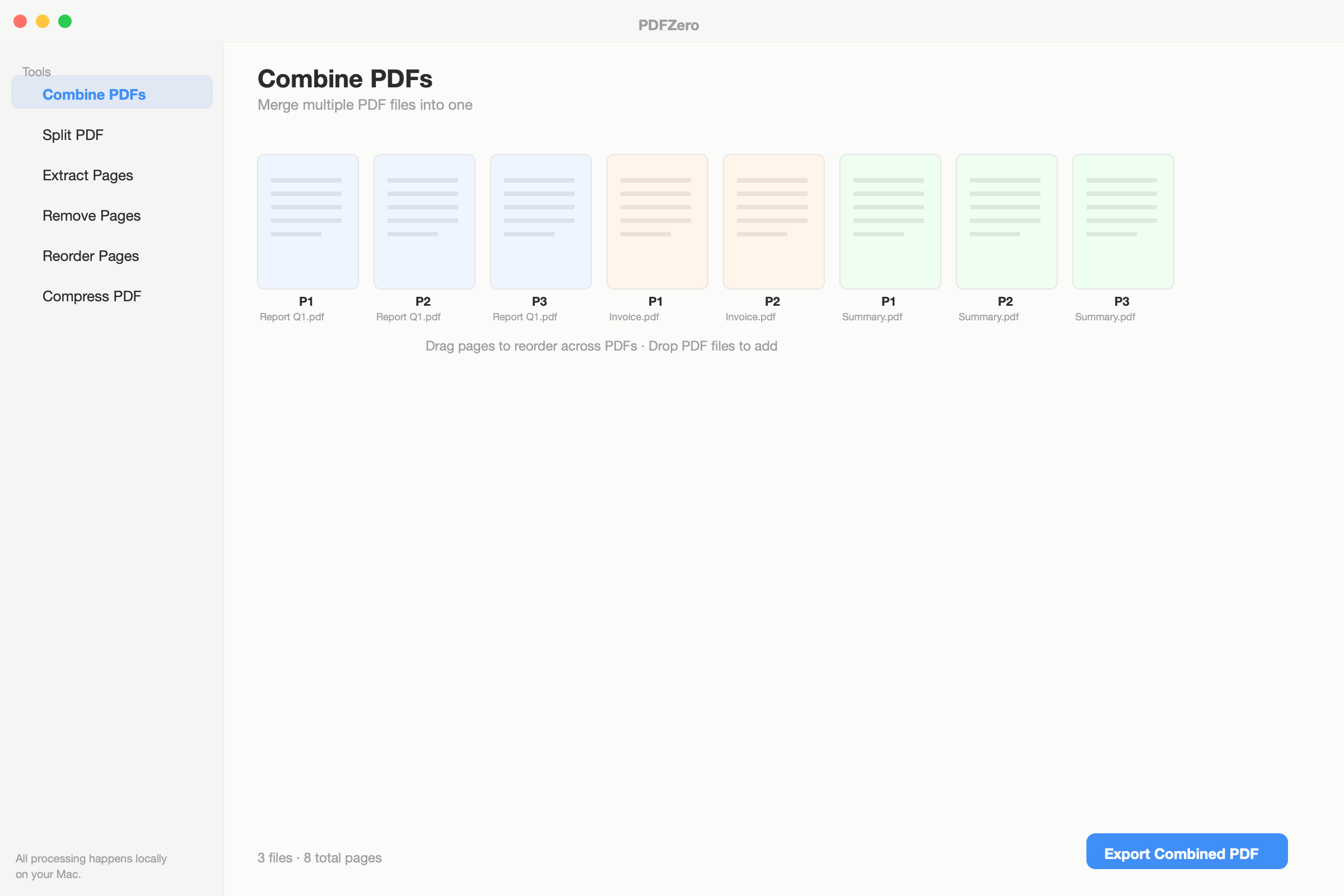
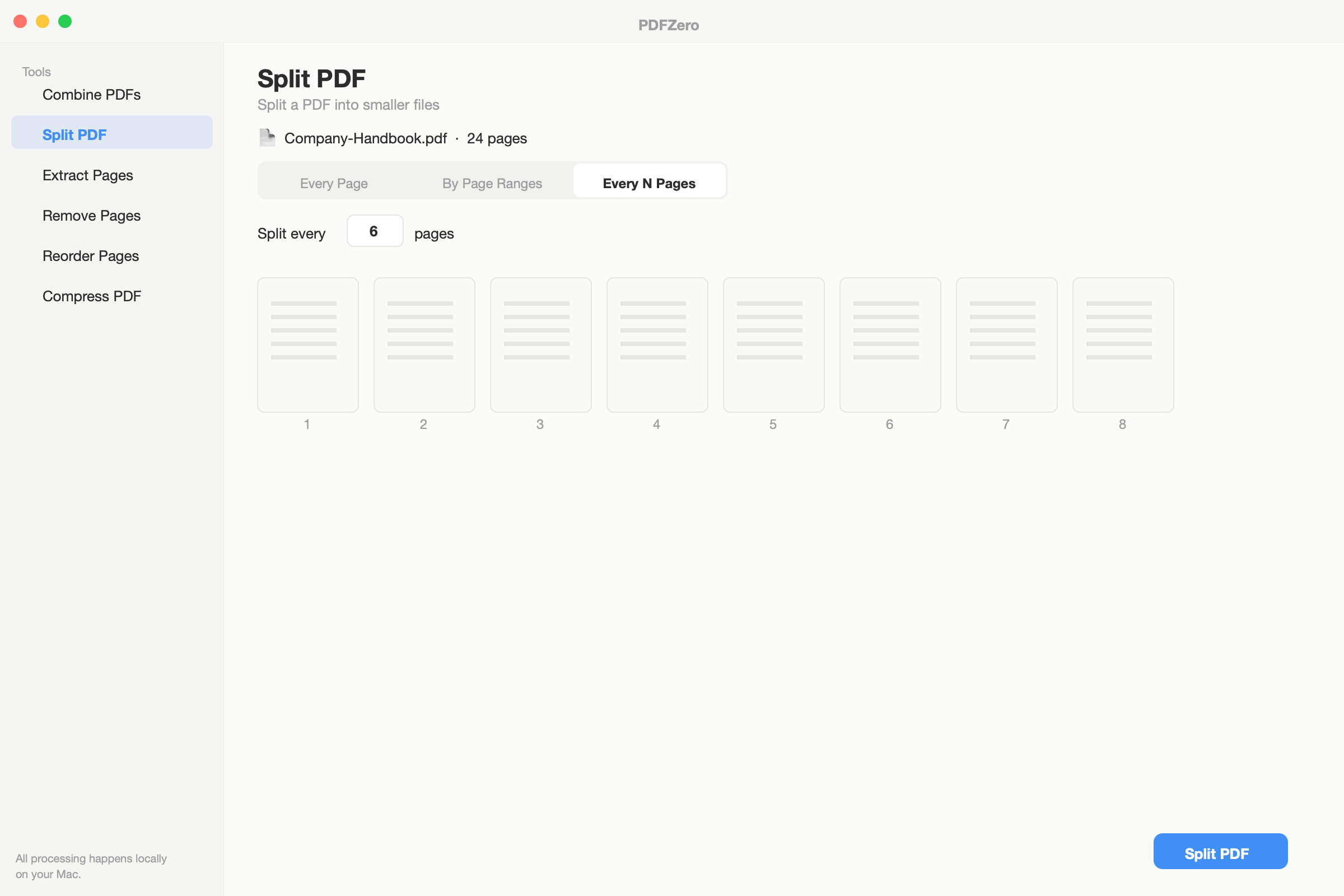
Combine & split
Merge multiple PDFs into one or split a PDF into parts. Drag pages between documents to rearrange.
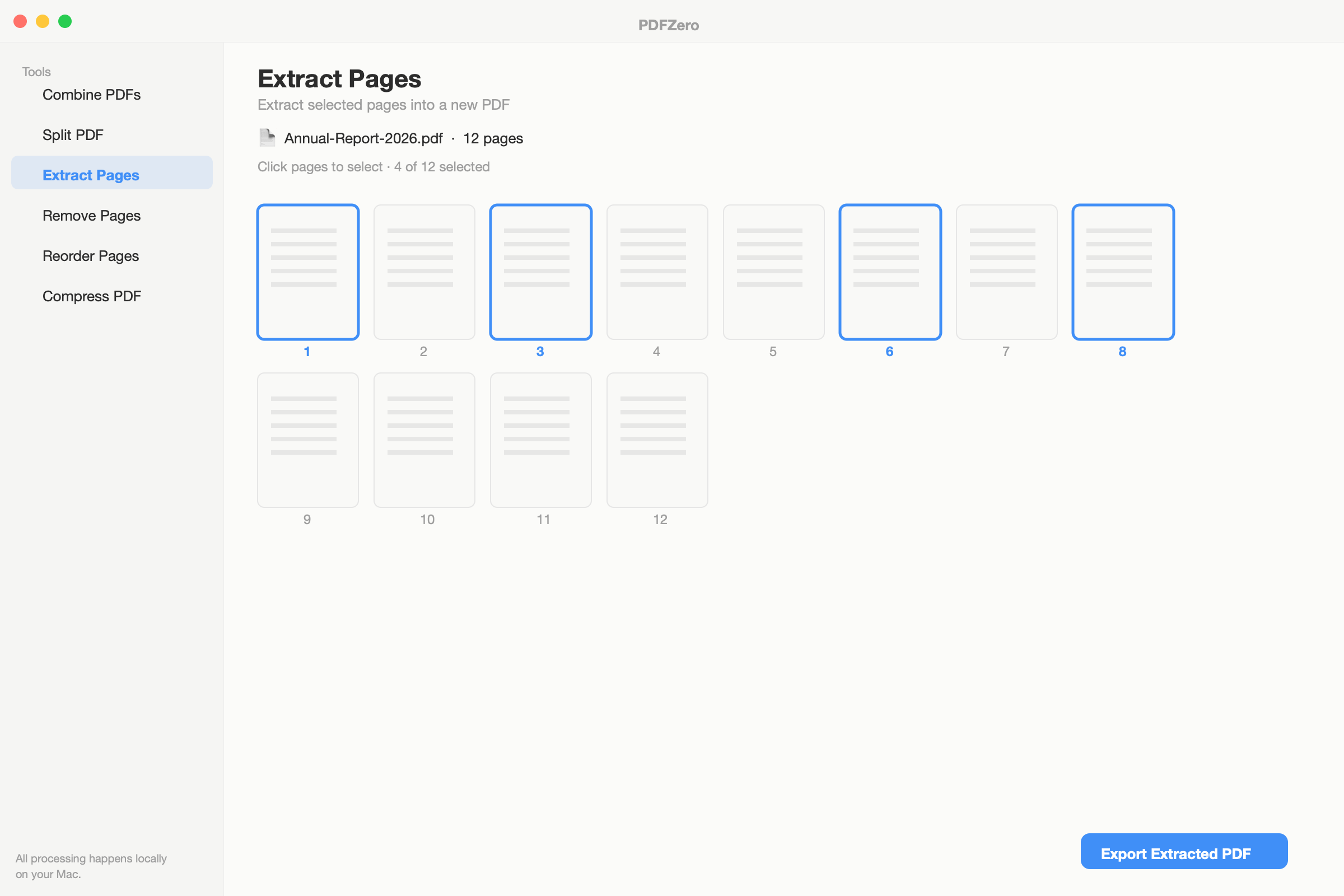
Visual page picker
Click thumbnail previews to select pages for extraction or removal. No more guessing page numbers.
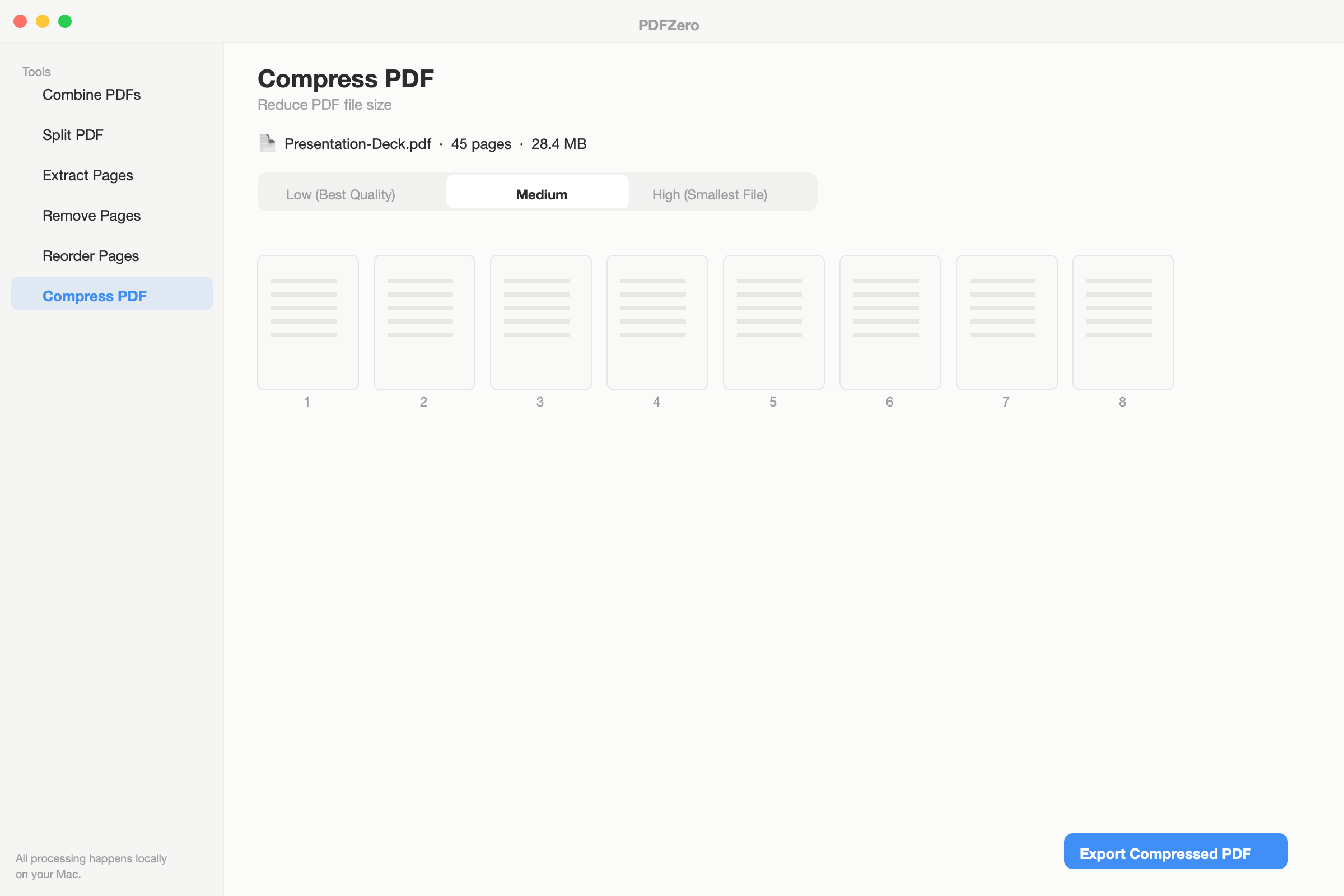
Smart compression
Reduce file size with three compression levels. See original size before you commit.
Zero uploads, ever
Every operation runs 100% on your Mac. Not a single byte of your PDFs touches the internet.
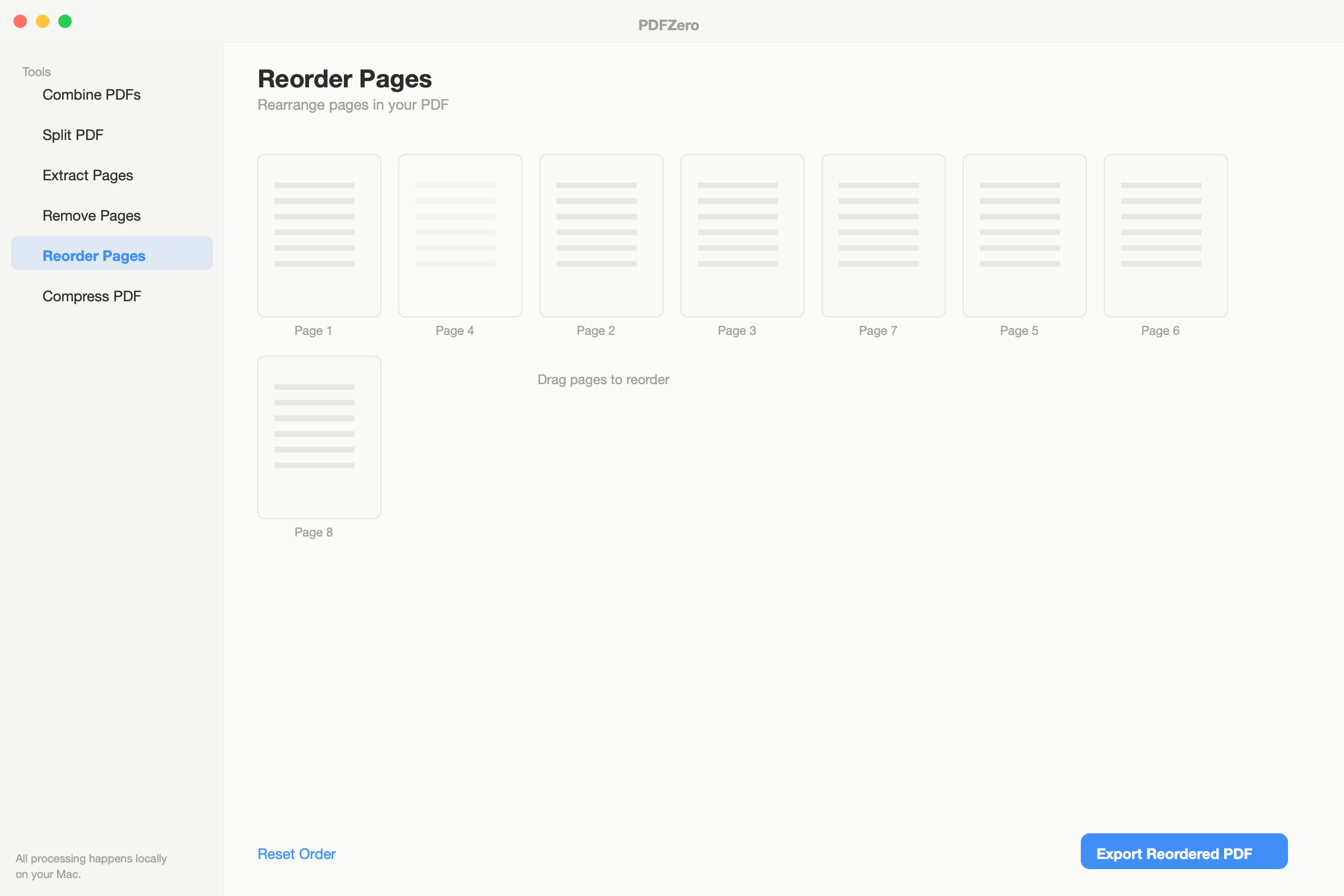
Reorder pages
Drag-and-drop page thumbnails to rearrange any PDF. Remove pages you don't need.
Pay once, yours forever
No subscriptions. One-time purchase with free updates for life. Try free before you buy.
Release history
PDFZero 1.0.0 The first release of PDFZero — simple private PDF tools for Mac. # Features - Combine PDFs — merge multiple PDFs with cross-document page reordering - Split PDF — split by page, by ra…
Common questions
What can I do for free?
All 6 tools are available for free: combine, split, extract, remove, reorder, and compress. Free users get 2 uses, up to 3 PDFs per merge, 20 pages per file, and low compression. Activate a license for unlimited use.
What can I do for free?
All 6 tools are available for free: combine, split, extract, remove, reorder, and compress. Free users get 2 uses, up to 3 PDFs per merge, 20 pages per file, and low compression. Activate a license for unlimited use.
What can I do for free?
All 6 tools are available for free: combine, split, extract, remove, reorder, and compress. Free users get 2 uses, up to 3 PDFs per merge, 20 pages per file, and low compression. Activate a license for unlimited use.
What can I do for free?
All 6 tools are available for free: combine, split, extract, remove, reorder, and compress. Free users get 2 uses, up to 3 PDFs per merge, 20 pages per file, and low compression. Activate a license for unlimited use.
What can I do for free?
All 6 tools are available for free: combine, split, extract, remove, reorder, and compress. Free users get 2 uses, up to 3 PDFs per merge, 20 pages per file, and low compression. Activate a license for unlimited use.
What can I do for free?
All 6 tools are available for free: combine, split, extract, remove, reorder, and compress. Free users get 2 uses, up to 3 PDFs per merge, 20 pages per file, and low compression. Activate a license for unlimited use.
What can I do for free?
All 6 tools are available for free: combine, split, extract, remove, reorder, and compress. Free users get 2 uses, up to 3 PDFs per merge, 20 pages per file, and low compression. Activate a license for unlimited use.
What can I do for free?
All 6 tools are available for free: combine, split, extract, remove, reorder, and compress. Free users get 2 uses, up to 3 PDFs per merge, 20 pages per file, and low compression. Activate a license for unlimited use.
What can I do for free?
All 6 tools are available for free: combine, split, extract, remove, reorder, and compress. Free users get 2 uses, up to 3 PDFs per merge, 20 pages per file, and low compression. Activate a license for unlimited use.
What can I do for free?
All 6 tools are available for free: combine, split, extract, remove, reorder, and compress. Free users get 2 uses, up to 3 PDFs per merge, 20 pages per file, and low compression. Activate a license for unlimited use.
What can I do for free?
All 6 tools are available for free: combine, split, extract, remove, reorder, and compress. Free users get 2 uses, up to 3 PDFs per merge, 20 pages per file, and low compression. Activate a license for unlimited use.
What can I do for free?
All 6 tools are available for free: combine, split, extract, remove, reorder, and compress. Free users get 2 uses, up to 3 PDFs per merge, 20 pages per file, and low compression. Activate a license for unlimited use.
What can I do for free?
All 6 tools are available for free: combine, split, extract, remove, reorder, and compress. Free users get 2 uses, up to 3 PDFs per merge, 20 pages per file, and low compression. Activate a license for unlimited use.
What can I do for free?
All 6 tools are available for free: combine, split, extract, remove, reorder, and compress. Free users get 2 uses, up to 3 PDFs per merge, 20 pages per file, and low compression. Activate a license for unlimited use.
What can I do for free?
All 6 tools are available for free: combine, split, extract, remove, reorder, and compress. Free users get 2 uses, up to 3 PDFs per merge, 20 pages per file, and low compression. Activate a license for unlimited use.
Does PDFZero upload my files?
Never. All PDF processing happens entirely on your Mac. The only network request is license validation, which sends your license key — never your files.
Does PDFZero upload my files?
Never. All PDF processing happens entirely on your Mac. The only network request is license validation, which sends your license key — never your files.
Does PDFZero upload my files?
Never. All PDF processing happens entirely on your Mac. The only network request is license validation, which sends your license key — never your files.
Does PDFZero upload my files?
Never. All PDF processing happens entirely on your Mac. The only network request is license validation, which sends your license key — never your files.
Does PDFZero upload my files?
Never. All PDF processing happens entirely on your Mac. The only network request is license validation, which sends your license key — never your files.
Does PDFZero upload my files?
Never. All PDF processing happens entirely on your Mac. The only network request is license validation, which sends your license key — never your files.
Does PDFZero upload my files?
Never. All PDF processing happens entirely on your Mac. The only network request is license validation, which sends your license key — never your files.
Does PDFZero upload my files?
Never. All PDF processing happens entirely on your Mac. The only network request is license validation, which sends your license key — never your files.
Does PDFZero upload my files?
Never. All PDF processing happens entirely on your Mac. The only network request is license validation, which sends your license key — never your files.
Does PDFZero upload my files?
Never. All PDF processing happens entirely on your Mac. The only network request is license validation, which sends your license key — never your files.
Does PDFZero upload my files?
Never. All PDF processing happens entirely on your Mac. The only network request is license validation, which sends your license key — never your files.
Does PDFZero upload my files?
Never. All PDF processing happens entirely on your Mac. The only network request is license validation, which sends your license key — never your files.
Does PDFZero upload my files?
Never. All PDF processing happens entirely on your Mac. The only network request is license validation, which sends your license key — never your files.
Does PDFZero upload my files?
Never. All PDF processing happens entirely on your Mac. The only network request is license validation, which sends your license key — never your files.
Does PDFZero upload my files?
Never. All PDF processing happens entirely on your Mac. The only network request is license validation, which sends your license key — never your files.
What macOS version do I need?
PDFZero requires macOS 14 (Sonoma) or later. It runs natively on both Apple Silicon and Intel Macs.
What macOS version do I need?
PDFZero requires macOS 14 (Sonoma) or later. It runs natively on both Apple Silicon and Intel Macs.
What macOS version do I need?
PDFZero requires macOS 14 (Sonoma) or later. It runs natively on both Apple Silicon and Intel Macs.
What macOS version do I need?
PDFZero requires macOS 14 (Sonoma) or later. It runs natively on both Apple Silicon and Intel Macs.
What macOS version do I need?
PDFZero requires macOS 14 (Sonoma) or later. It runs natively on both Apple Silicon and Intel Macs.
What macOS version do I need?
PDFZero requires macOS 14 (Sonoma) or later. It runs natively on both Apple Silicon and Intel Macs.
What macOS version do I need?
PDFZero requires macOS 14 (Sonoma) or later. It runs natively on both Apple Silicon and Intel Macs.
What macOS version do I need?
PDFZero requires macOS 14 (Sonoma) or later. It runs natively on both Apple Silicon and Intel Macs.
What macOS version do I need?
PDFZero requires macOS 14 (Sonoma) or later. It runs natively on both Apple Silicon and Intel Macs.
What macOS version do I need?
PDFZero requires macOS 14 (Sonoma) or later. It runs natively on both Apple Silicon and Intel Macs.
What macOS version do I need?
PDFZero requires macOS 14 (Sonoma) or later. It runs natively on both Apple Silicon and Intel Macs.
What macOS version do I need?
PDFZero requires macOS 14 (Sonoma) or later. It runs natively on both Apple Silicon and Intel Macs.
What macOS version do I need?
PDFZero requires macOS 14 (Sonoma) or later. It runs natively on both Apple Silicon and Intel Macs.
What macOS version do I need?
PDFZero requires macOS 14 (Sonoma) or later. It runs natively on both Apple Silicon and Intel Macs.
What macOS version do I need?
PDFZero requires macOS 14 (Sonoma) or later. It runs natively on both Apple Silicon and Intel Macs.