HealthZero
Know what's slowing down your Mac.
HealthZero is a simple Mac health dashboard. See your health score, check CPU, memory, storage, and battery status, find large files, review startup apps, and get plain-language recommendations — all locally on your Mac. No cloud, no accounts, no subscriptions.
Version 1.0.0 · macOS 14.0+ · June 26, 2026
Buying on mobile? We'll email your Mac download and license after checkout.
One-time license
2 Macs · one-time
- Use on up to 2 Macs
- Updates to the current major version
- At least three years of macOS compatibility fixes
- 30-day money-back guarantee
- No account required to use the app
30-day money-back guarantee
Taxes may be added at checkout.
Get all 11 current ZeroApps utilities for one price. No subscription required.
Taxes may be added at checkout. See the license terms for update coverage.
See it in action.
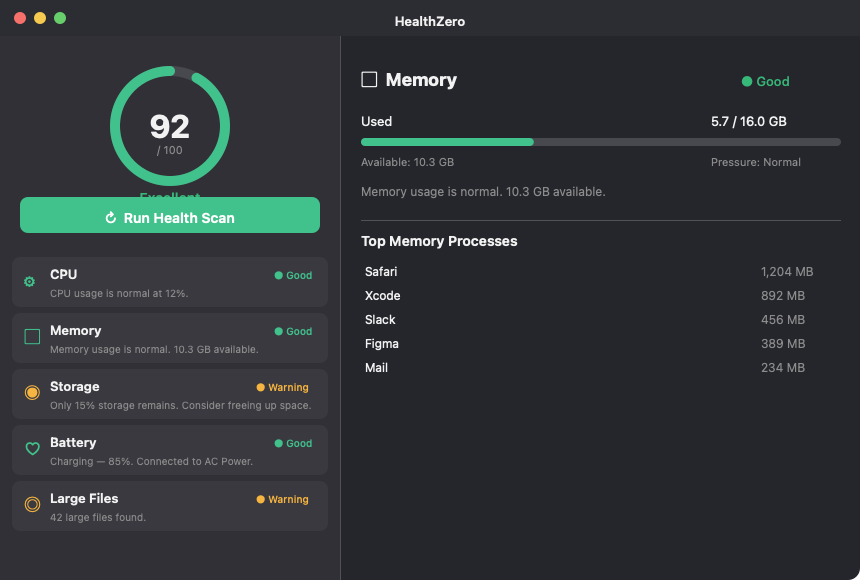
HealthZero dashboard showing health score, status cards, and memory detail view
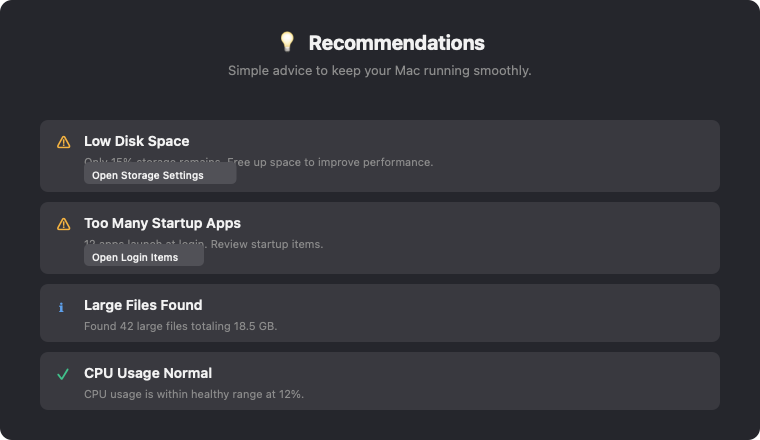
HealthZero recommendations with actionable advice
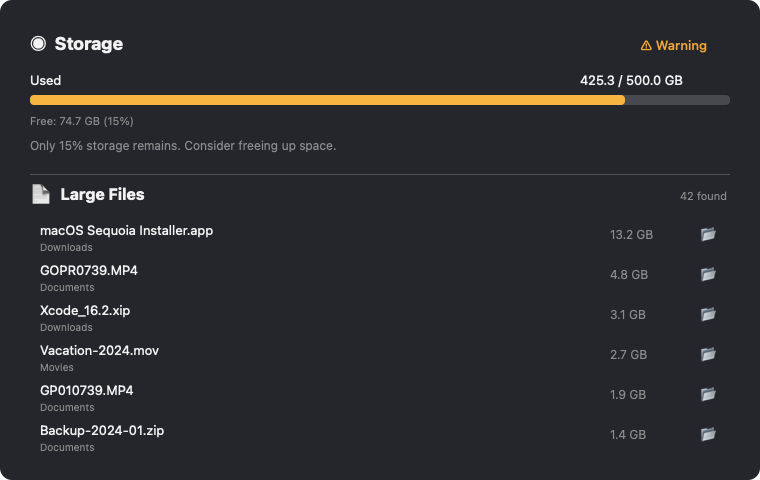
Storage check and large file finder with file sizes
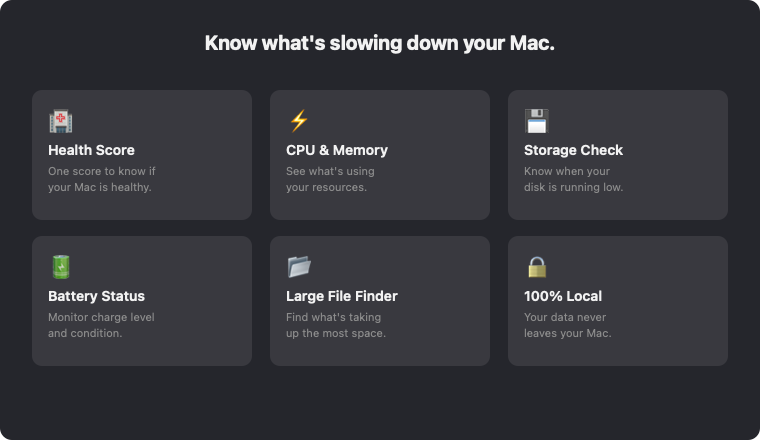
HealthZero features overview
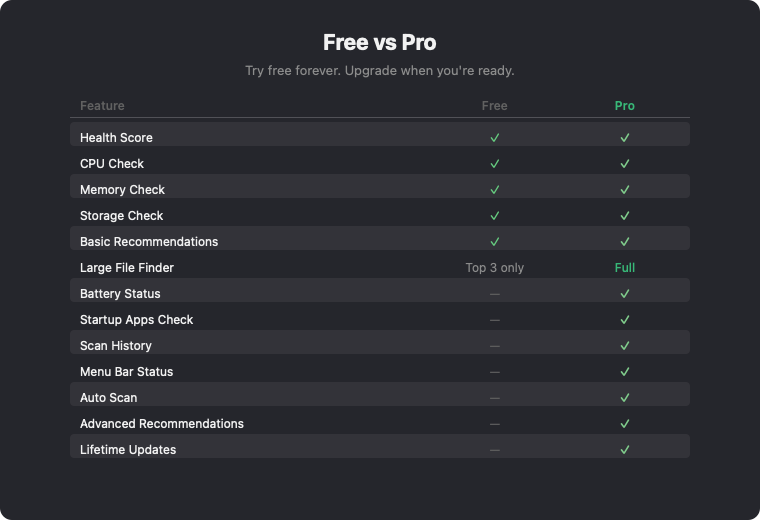
Free vs Pro feature comparison table
Free vs Paid
Try it free. Unlock everything with a one-time license.
Everything you need, nothing you don't.
Health Score
One score from 0–100 tells you if your Mac is healthy. Based on CPU, memory, storage, battery, and startup items.
CPU & Memory check
See current usage, pressure levels, and which apps are consuming the most resources. Get plain-language advice.
Storage & Large Files
Know when disk space is low. Find your largest files across Downloads, Desktop, Documents, and more.
Battery status
Monitor charge level, charging state, power source, and battery condition — just like System Settings.
Smart recommendations
HealthZero turns technical data into simple advice. Know exactly what to do next to improve performance.
100% local & private
Your system data never leaves your Mac. No cloud uploads, no analytics, no tracking. Privacy first.
Release history
HealthZero 1.0.0 The first release of HealthZero — simple Mac health checks in one place. # Features - Health Score — 0–100 score based on CPU, memory, storage, battery, and startup items - CPU Che…
Guides
Learn more about HealthZero
Common questions
What can I do for free?
The free tier includes Health Score, CPU Check, Memory Check, Storage Check, basic recommendations, and the top 3 large files. Activate a license to unlock Battery Status, Startup Apps, full Large File Finder, Scan History, Menu Bar Status, and Auto Scan.
Does HealthZero upload my data?
Never. HealthZero checks your Mac locally. Your system data never leaves your device. The only network request is license validation, which sends your license key — never your system information.
Will HealthZero slow down my Mac?
No. HealthZero only scans when you click Run Health Scan (or on a schedule with Pro). It uses minimal resources and does not run continuously in the background.
Does HealthZero delete files or kill apps?
No. HealthZero is advisory only — it tells you what's wrong and what to do next, but never takes destructive actions. You stay in control.