DuplicateZero
Find duplicate files safely.
A lightweight duplicate file finder for Mac. Scan your folders, find exact duplicates using SHA-256 hashing, preview files with QuickLook, and safely move unwanted copies to Trash. Privacy-first, local-only — your files never leave your Mac.
Version 1.0.0 · macOS 13.0+ · June 29, 2026
Buying on mobile? We'll email your Mac download and license after checkout.
One-time license
2 Macs · one-time
- Use on up to 2 Macs
- Updates to the current major version
- At least three years of macOS compatibility fixes
- 30-day money-back guarantee
- No account required to use the app
30-day money-back guarantee
Taxes may be added at checkout.
Get all 11 current ZeroApps utilities for one price. No subscription required.
Taxes may be added at checkout. See the license terms for update coverage.
See it in action.
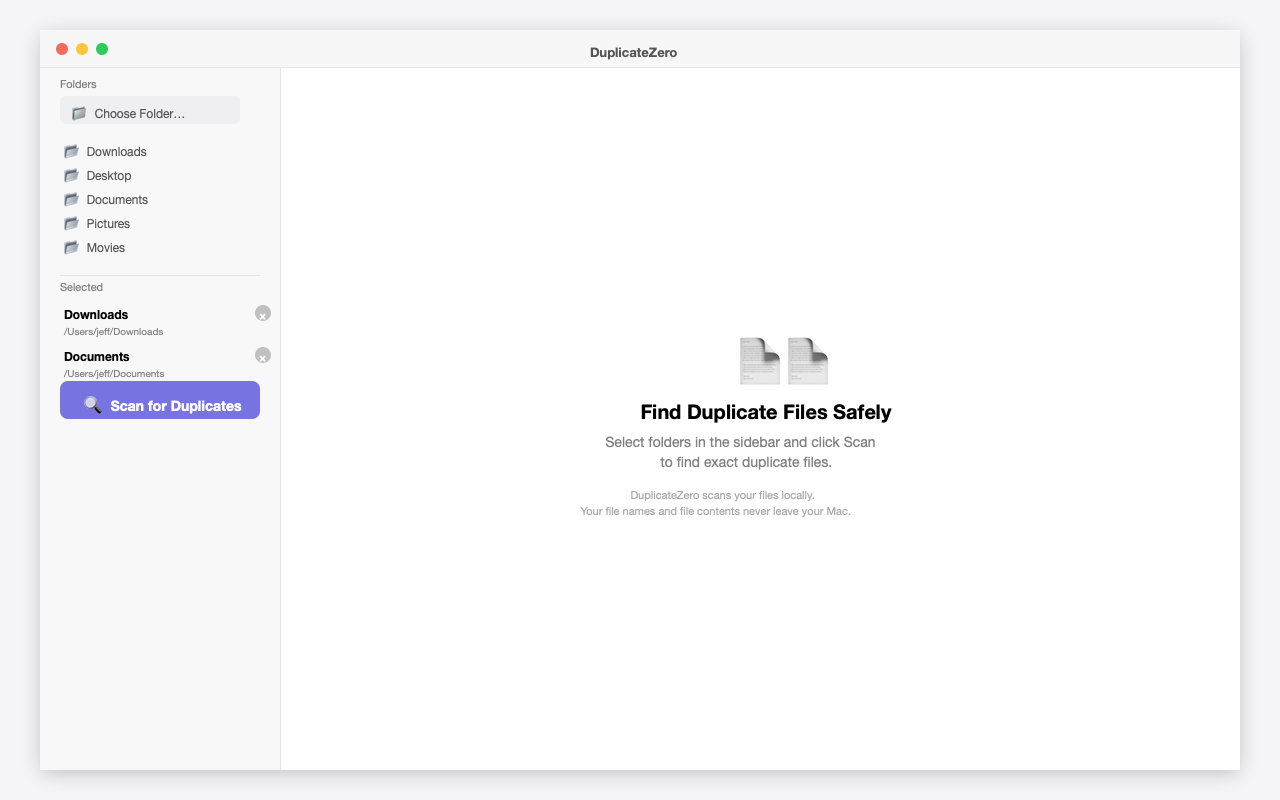
DuplicateZero dashboard with folder selection, quick folders, and scan button
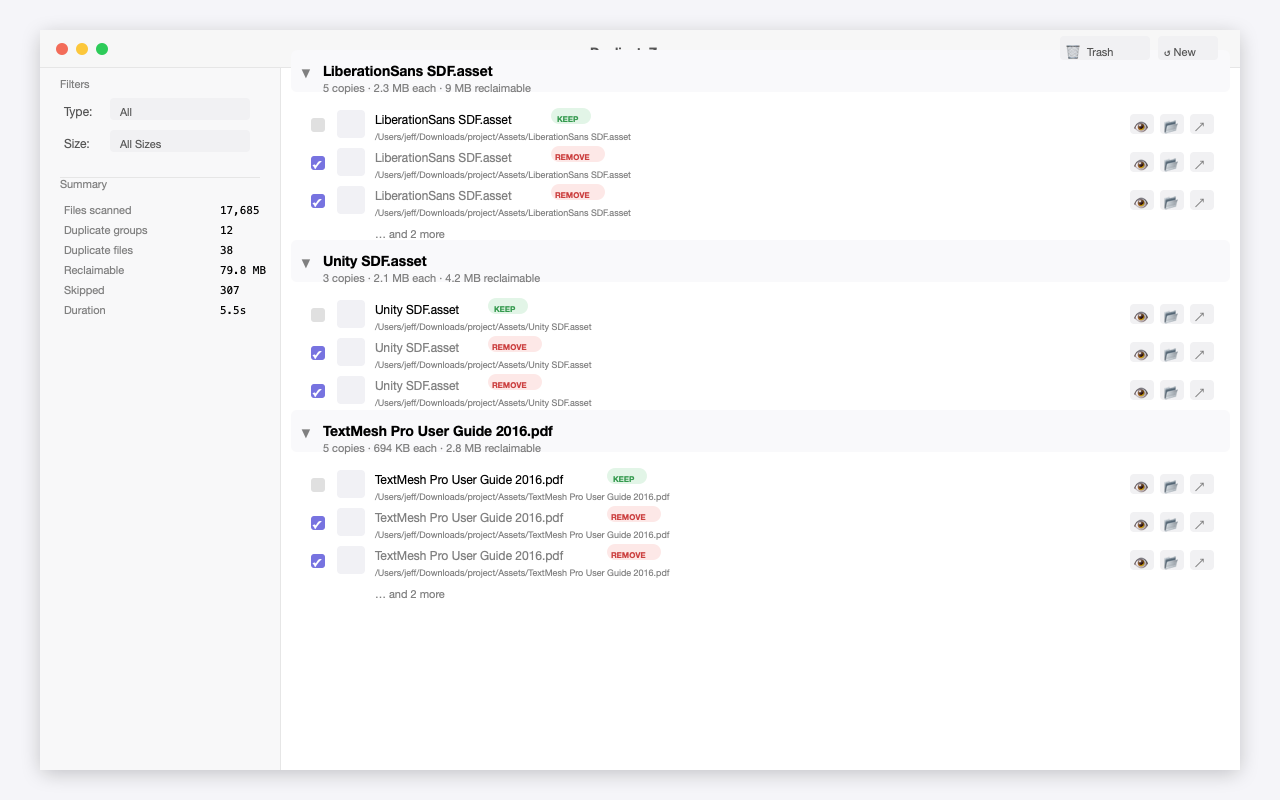
Scan results showing duplicate groups with KEEP and REMOVE badges, file preview buttons, and scan summary
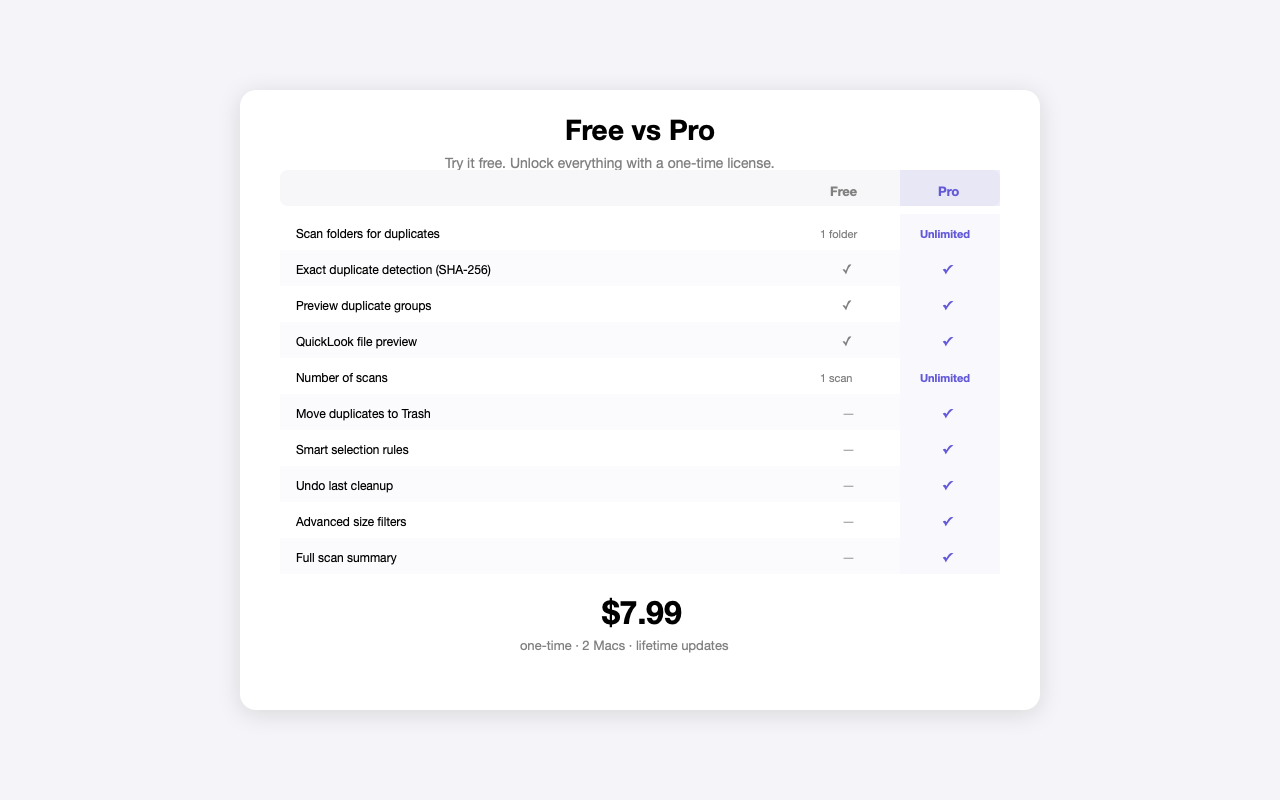
Free vs Pro comparison table showing features available in each tier
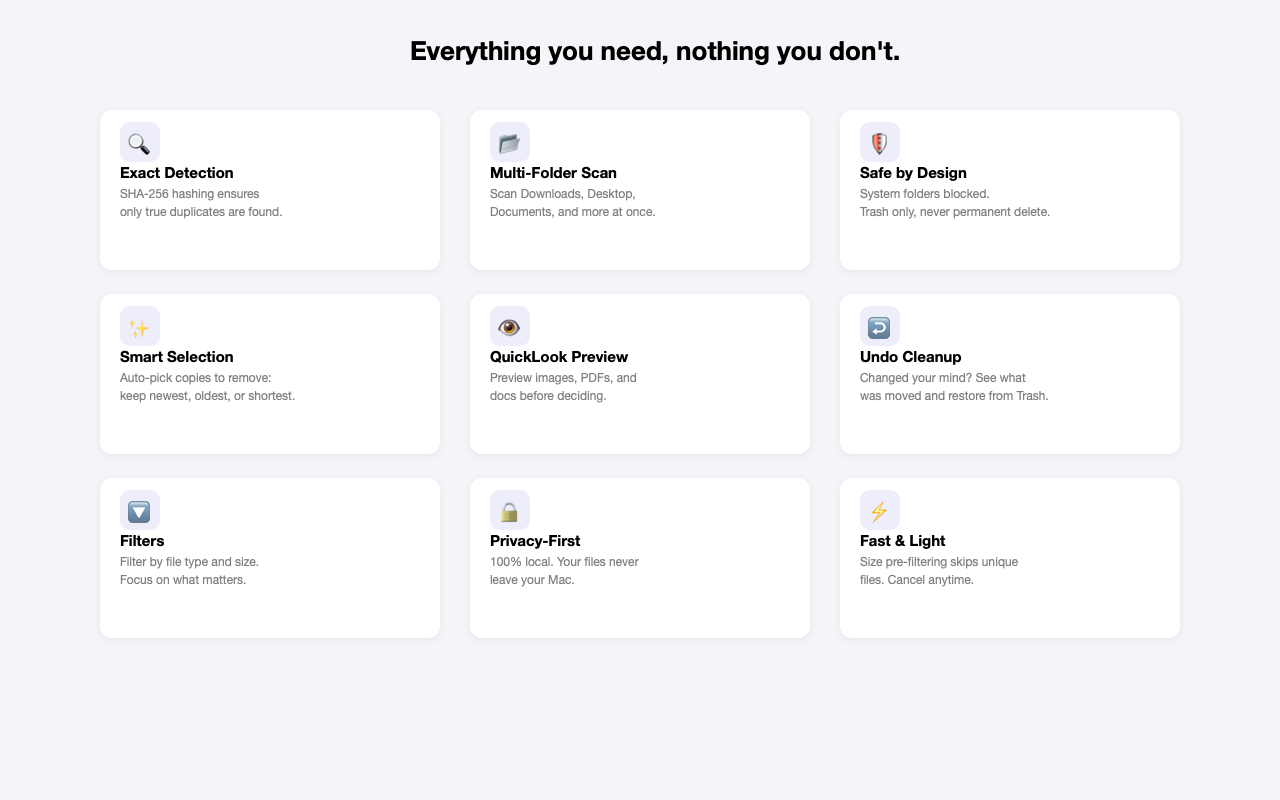
DuplicateZero features overview — exact detection, multi-folder scan, smart selection, privacy-first, and more
Free vs Paid
Try it free. Unlock everything with a one-time license.
Everything you need, nothing you don't.
Exact Duplicate Detection
Files are grouped by size, then verified with SHA-256 hashing. Only true byte-for-byte duplicates are flagged — no false positives.
Multi-Folder Scanning
Scan your Downloads, Desktop, Documents, Pictures, and any custom folders — all at once. Drag and drop folders or pick from quick shortcuts.
Safe by Design
System folders are always blocked. Files are moved to Trash, never permanently deleted. Review every duplicate before cleanup.
Smart Selection
Automatically pick which copies to remove: keep newest, oldest, shortest path, or files outside Downloads. Always keeps at least one copy.
QuickLook Preview
Preview any file before deciding — images, PDFs, documents, and more. Open in Finder or launch with the default app, right from the results.
Undo Last Cleanup
Changed your mind? Open Trash in Finder and see exactly which files were moved. Every cleanup operation is tracked.
Filters & Summary
Filter results by file type (images, documents, videos, audio, archives) and size. See a full summary: files scanned, duplicates found, space reclaimable.
Privacy-First & Local
DuplicateZero scans your files locally. Your file names and file contents never leave your Mac. No cloud, no accounts, no tracking.
Fast & Lightweight
Size-based pre-filtering skips unique files instantly. Only potential duplicates are hashed. Cancel anytime during long scans.
Release history
# DuplicateZero 1.0.0 Initial release. - Exact duplicate detection (SHA-256) - Multi-folder scanning (Pro) - Smart selection rules - QuickLook file preview - Move to Trash (never permanent delete) -…
Guides
Learn more about DuplicateZero
How Much Storage Are You Wasting on Duplicate Files?
Most Mac users have gigabytes of duplicate files they don't know about. Here is how to find out exactly how much space yours are wasting — and how to reclaim it safely.
6 min read
How to Find and Delete Duplicate Files on Mac
Duplicate files quietly consume gigabytes of Mac storage. Here is how to find them accurately and remove them safely — without deleting files you still need.
7 min read
Common questions
How does DuplicateZero find duplicates?
DuplicateZero first groups files by size — files with unique sizes can't be duplicates. Then it computes a SHA-256 hash of each candidate. Only files with identical content hashes are marked as duplicates. This is fast and 100% accurate.
Will it delete the wrong files?
DuplicateZero never permanently deletes anything. All removals go to your Mac's Trash, where you can restore them anytime. You review every duplicate group before cleanup, and smart selection always keeps at least one copy.
Does it scan system files?
No. System folders like /System, /Library, /Applications, and hidden folders are always blocked for safety. DuplicateZero only scans the folders you explicitly choose.
Does it upload my files anywhere?
No. DuplicateZero is completely local and offline. Your file names and file contents never leave your Mac. The only network request is license validation, which sends only your license key — no file data.
What's the difference between Free and Pro?
The free version lets you scan one folder once and preview duplicate groups. Pro unlocks unlimited scans, multi-folder scanning, file deletion (move to Trash), smart selection, undo, and advanced filters. It's a one-time purchase — no subscription.
What macOS versions are supported?
DuplicateZero requires macOS Ventura (13.0) or later. It runs natively on Apple Silicon and Intel Macs.