ArchiveZero
Compress and extract archive files effortlessly.
A lightweight archive utility for Mac. Extract ZIP, RAR, 7Z, TAR, GZ, BZ2, and XZ archives, create password-protected ZIP files, preview contents before extracting, and batch-process multiple archives at once. Privacy-first, local-only — your files and passwords never leave your Mac.
Version 1.0.0 · macOS 13.0+ · June 30, 2026
Buying on mobile? We'll email your Mac download and license after checkout.
One-time license
2 Macs · one-time
- Use on up to 2 Macs
- Updates to the current major version
- At least three years of macOS compatibility fixes
- 30-day money-back guarantee
- No account required to use the app
30-day money-back guarantee
Taxes may be added at checkout.
Get all 11 current ZeroApps utilities for one price. No subscription required.
Taxes may be added at checkout. See the license terms for update coverage.
See it in action.
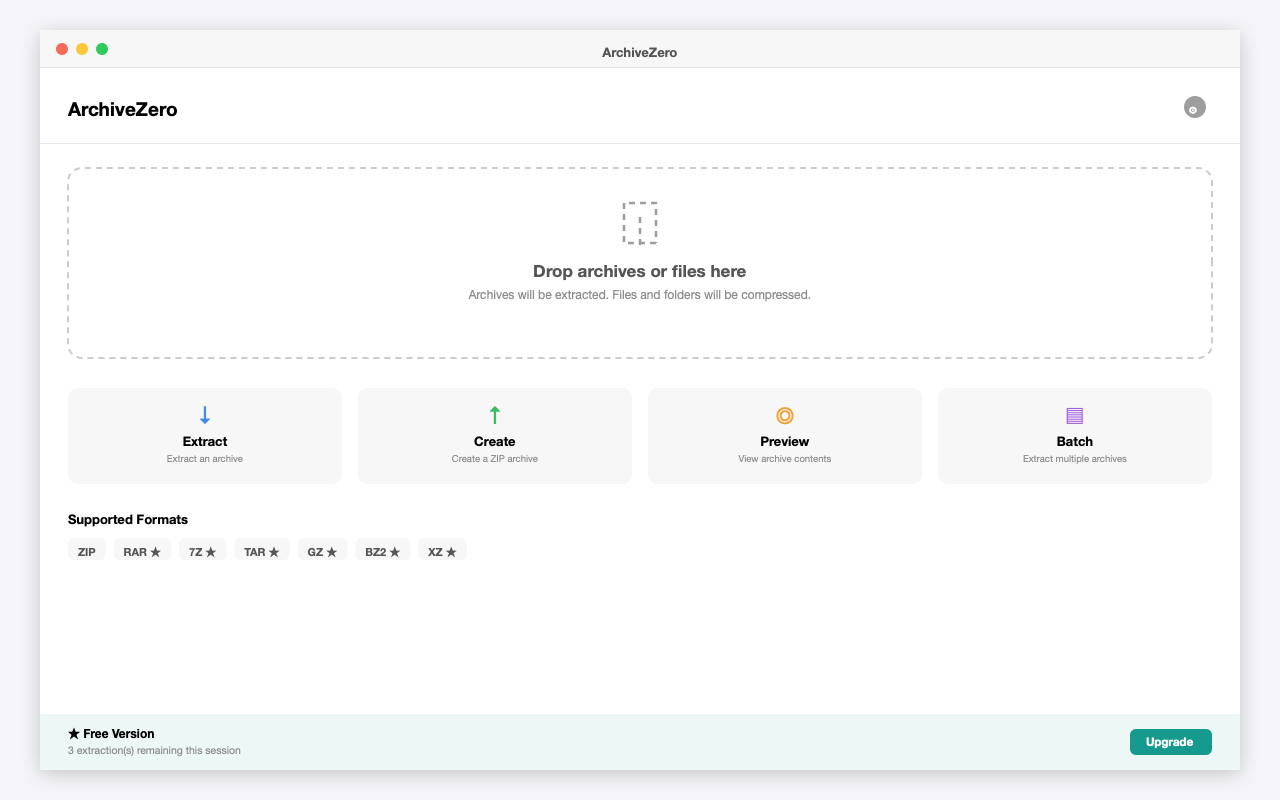
ArchiveZero dashboard with drop zone, Extract/Create/Preview/Batch actions, and supported formats
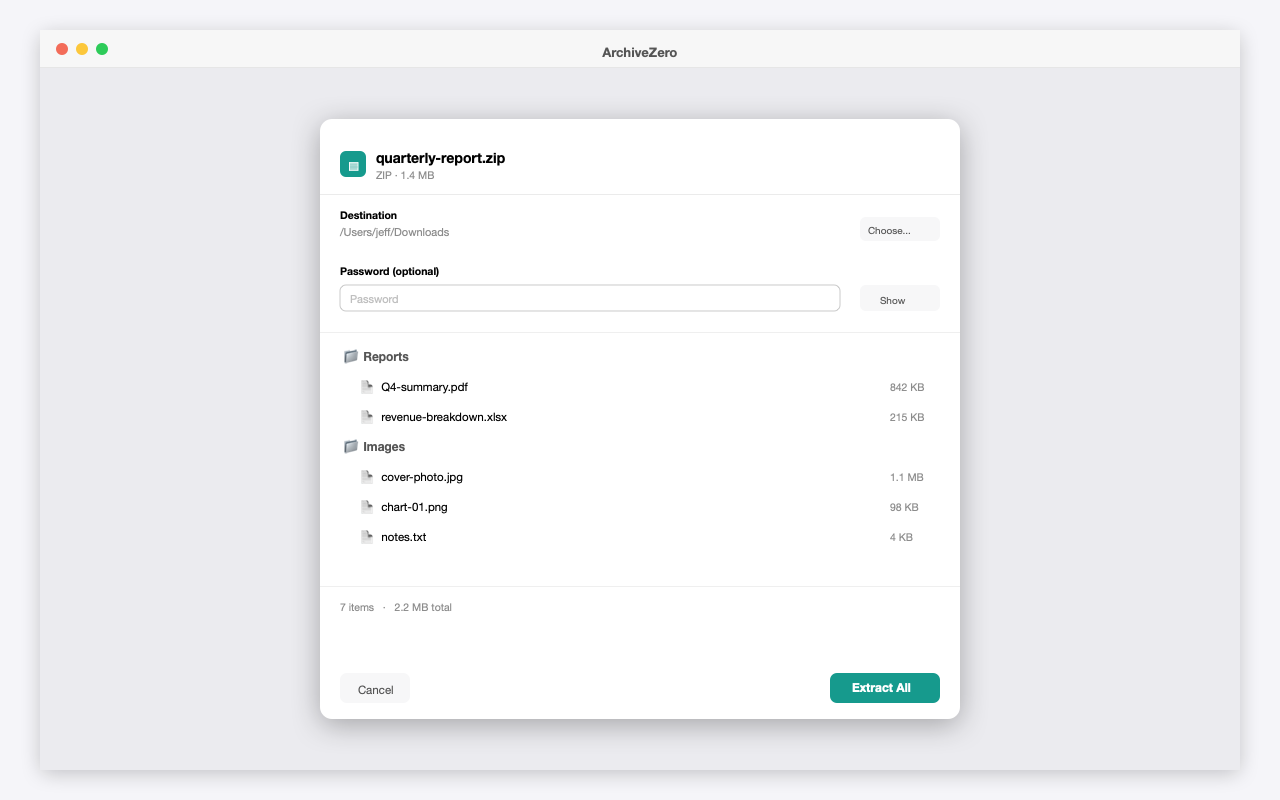
Extract sheet showing archive file listing with folders, files, sizes, and password field
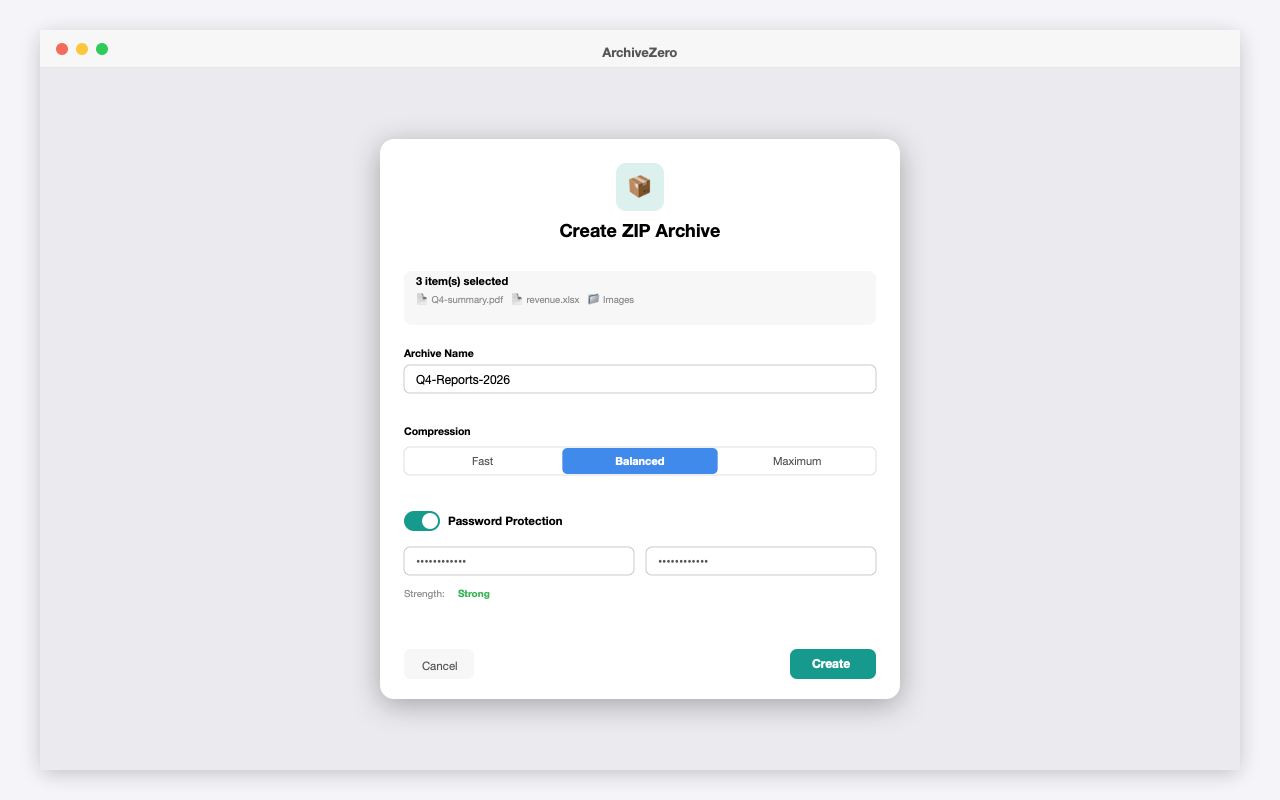
Create ZIP Archive dialog with compression level and password protection toggle
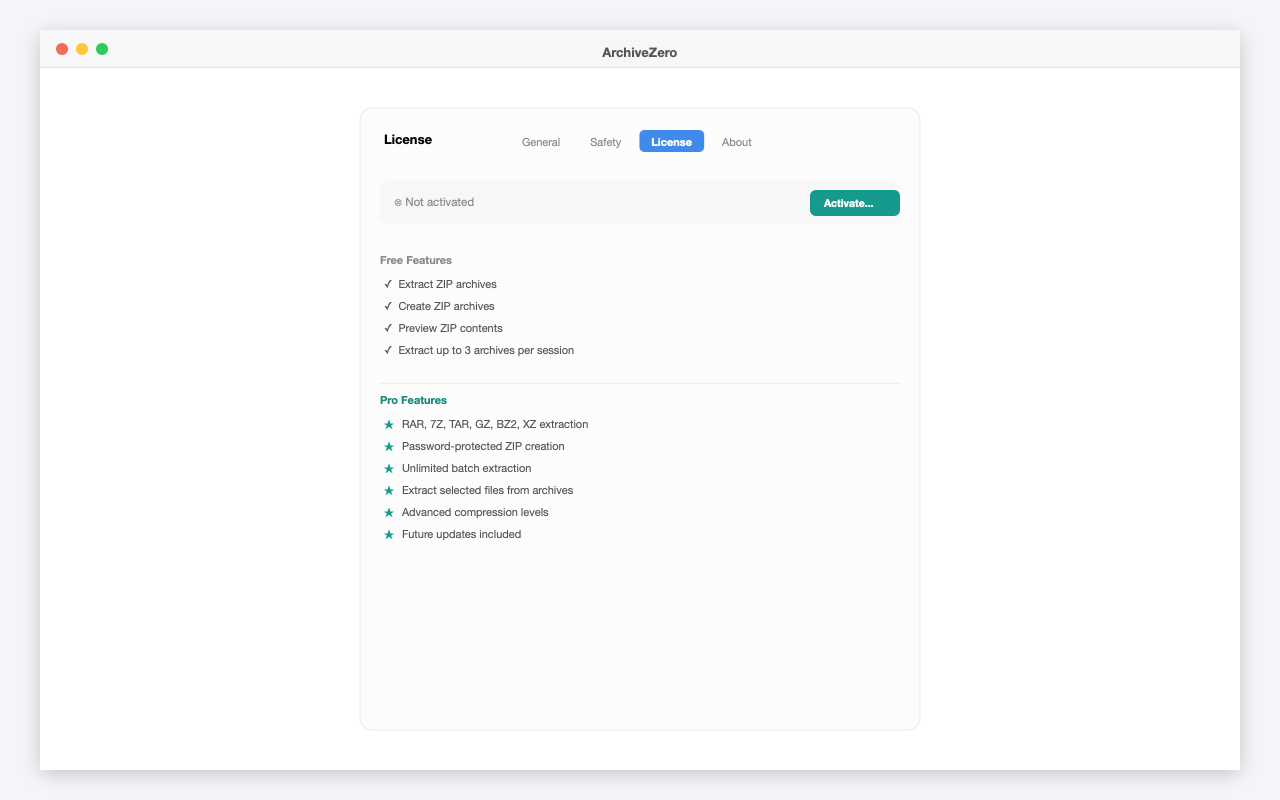
License settings tab showing Free vs Pro feature comparison
Free vs Paid
Try it free. Unlock everything with a one-time license.
Everything you need, nothing you don't.
Extract Any Format
ZIP, RAR, 7Z, TAR, GZ, BZ2, and XZ — all extracted natively with no extra software to install.
Create & Protect ZIPs
Compress files and folders into ZIP archives with adjustable compression and optional password protection.
Preview Before Extracting
See exactly what's inside an archive — file names, sizes, and folder structure — before you commit.
Batch Extraction
Drop a folder of archives and extract them all at once, each into its own neatly named folder.
Privacy-First & Local
ArchiveZero processes everything on your Mac. No cloud, no uploads, no accounts.
Fast & Lightweight
Native macOS tools handle ZIP/TAR/GZ/BZ2/XZ; a bundled engine handles RAR/7Z. No bloated dependencies.
Release history
Initial release. Extract ZIP/RAR/7Z/TAR/GZ/BZ2/XZ, create password-protected ZIP archives, preview contents, and batch extraction. Free tier: Balanced compression, up to 3 free extractions per session…
Guides
Learn more about ArchiveZero
How to Password-Protect a ZIP File on Mac
Need to send a file securely? Creating a password-protected ZIP on Mac is straightforward — here is how to do it with and without Terminal.
5 min read
How to Extract RAR Files on Mac
macOS cannot open RAR files natively. Here is exactly how to extract RAR archives on a Mac — without installing bloated software or uploading files to the internet.
6 min read
Common questions
What archive formats does ArchiveZero support?
ZIP, RAR, 7Z, TAR, GZ, BZ2, and XZ for extraction; ZIP for creation. RAR and 7Z decoding is built in — no need to install anything separately.
Does ArchiveZero need internet access to extract RAR or 7Z files?
No. The RAR/7Z engine is bundled inside the app. Everything runs fully offline.
Is my data safe — does ArchiveZero upload my files anywhere?
No. ArchiveZero processes archives entirely on your Mac. Your files and passwords never leave your device — the only network request is license validation, which sends just your license key.
What's the difference between Free and Pro?
Free lets you extract and create ZIP archives, preview contents, and extract up to 3 archives per session. Pro unlocks RAR/7Z/TAR/GZ/BZ2/XZ extraction, password-protected ZIP creation, unlimited batch extraction, selected-file extraction, and advanced compression. One-time purchase, no subscription.
Can I create password-protected ZIP files?
Yes (Pro). ArchiveZero shows a password strength indicator and never stores or logs your password.
What macOS versions are supported?
macOS Ventura (13.0) or later, natively on Apple Silicon and Intel.